FastAPI in Production: From main.py to a Public URL
A requirements.txt, a main.py and one click. Light Cloud starts uvicorn for you, and your interactive API docs are online at /docs.



On this pageShowHide
To deploy a FastAPI app on Light Cloud, put fastapi[standard] in requirements.txt, keep the app object as app in main.py, push to GitHub and click Deploy in the console. Light Cloud detects FastAPI, installs the requirements and starts uvicorn main:app on the container's port. No Dockerfile, no Procfile. The interactive docs at /docs are online with the API.
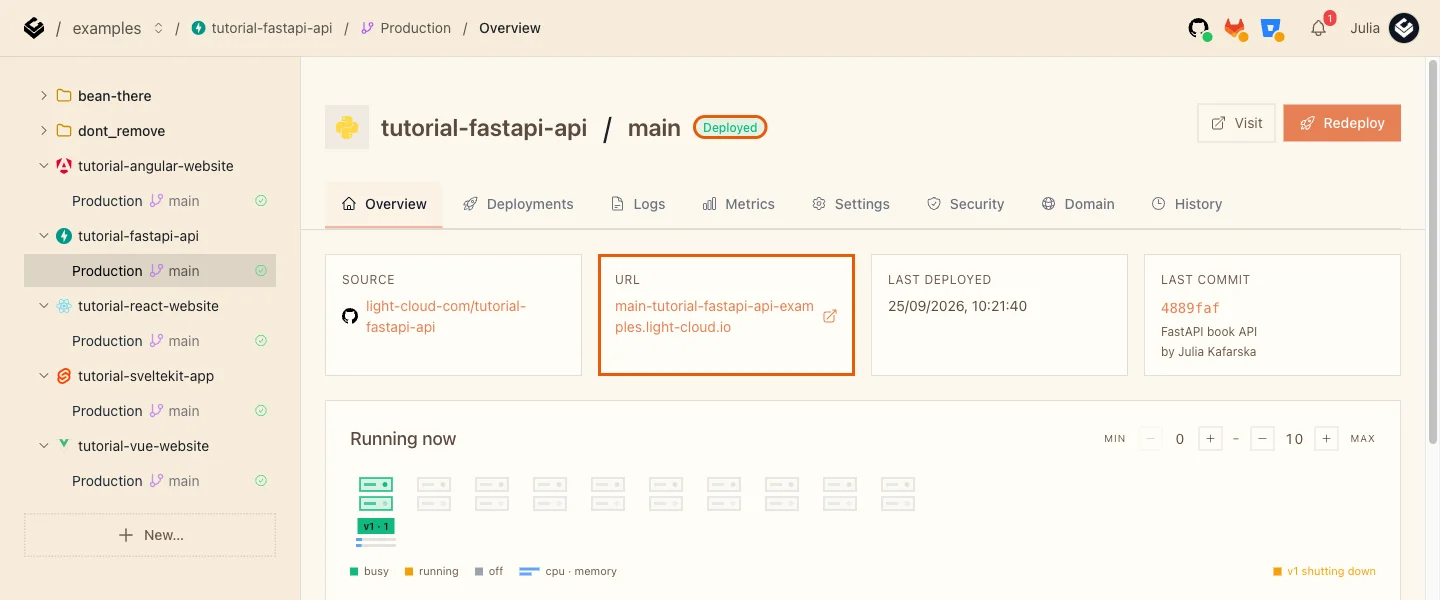
In my run the first deploy took 97 seconds.
What you will build
A small book API with validation by Pydantic, live on a light-cloud.io address, with its Swagger docs:
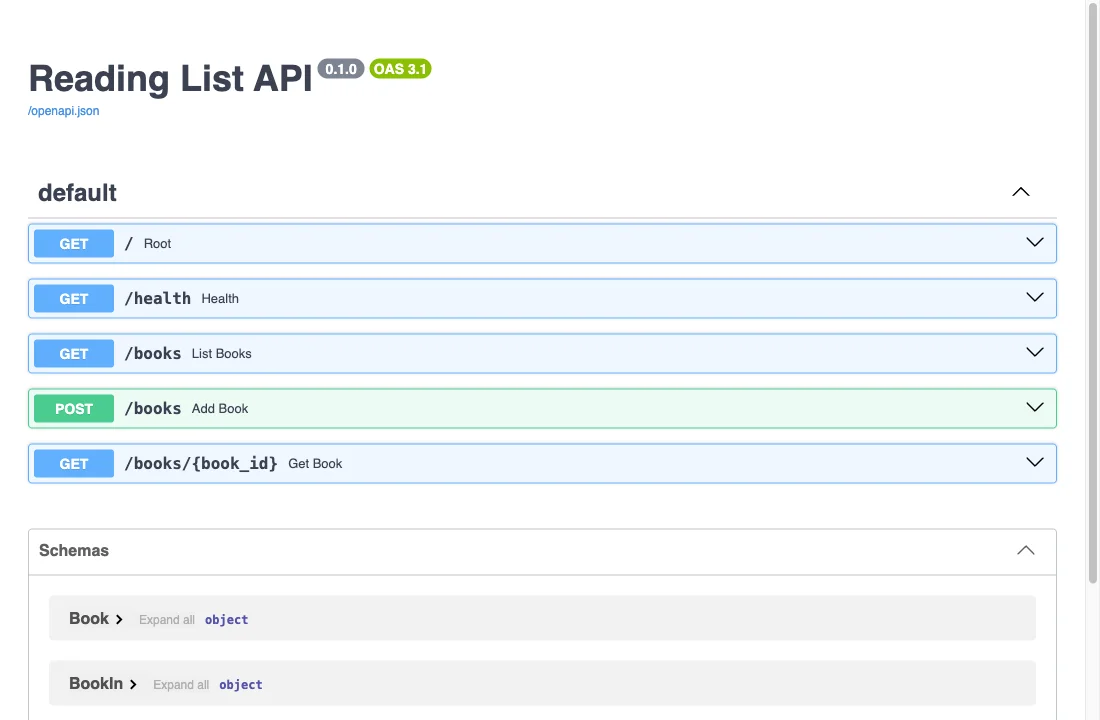
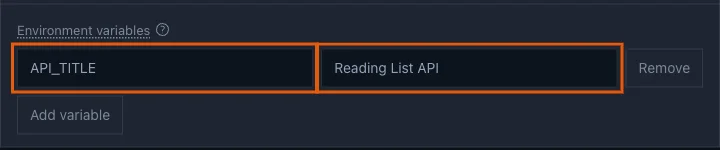
The title, Reading List API, comes from an environment variable set in the console.
Source code: github.com/light-cloud-com/tutorial-fastapi-api.
Before you start
- Python 3.10 or later (what FastAPI 0.141 requires); I used Python 3.13.
- Git and a GitHub account.
- A free Light Cloud account at console.light-cloud.com with GitHub connected.
- A terminal with curl. On Windows, use PowerShell 7 and
curl.exe, which ships with Windows 10 and 11.
Step 1: Create the project and a virtual environment
$ mkdir tutorial-fastapi-api
$ cd tutorial-fastapi-api
$ python3 -m venv .venv
$ source .venv/bin/activatePS> mkdir tutorial-fastapi-api
PS> cd tutorial-fastapi-api
PS> py -m venv .venv
PS> .venv\Scripts\Activate.ps1On Windows, mkdir also prints a short table describing the new folder. Your prompt shows (.venv) once the virtual environment is active.
List the dependencies. fastapi[standard] brings uvicorn and the fastapi command with it; the version pin makes the build install exactly what you tested:
fastapi[standard]==0.141.1
$ pip install -r requirements.txt
Successfully installed ... fastapi-0.141.1 ... pydantic-2.13.5 ... starlette-1.7.0 ... uvicorn-0.54.0 ...PS> pip install -r requirements.txt
Successfully installed ... fastapi-0.141.1 ... pydantic-2.13.5 ... starlette-1.7.0 ... uvicorn-0.54.0 ...Output is trimmed to the main packages.
Keep the virtual environment out of Git:
.venv/
__pycache__/
.env
Step 2: Write the API
import os

from fastapi import FastAPI, HTTPException
from pydantic import BaseModel, Field

# The title shows at the top of the interactive docs at /docs.
# Set API_TITLE on Light Cloud to change it without touching the code.
app = FastAPI(title=os.getenv("API_TITLE", "Book API"))


class BookIn(BaseModel):
    title: str = Field(min_length=1, max_length=200)
    author: str = Field(min_length=1, max_length=100)
    year: int = Field(ge=1450, le=2100)


class Book(BookIn):
    id: int


# In memory, so the list starts empty again after every restart.
books: dict[int, Book] = {}


@app.get("/")
def root():
    return {"message": "Hello from FastAPI", "docs": "/docs"}


@app.get("/health")
def health():
    return {"status": "ok"}


@app.get("/books")
def list_books() -> list[Book]:
    return list(books.values())


@app.post("/books", status_code=201)
def add_book(book: BookIn) -> Book:
    new = Book(id=len(books) + 1, **book.model_dump())
    books[new.id] = new
    return new


@app.get("/books/{book_id}")
def get_book(book_id: int) -> Book:
    if book_id not in books:
        raise HTTPException(status_code=404, detail="Book not found")
    return books[book_id]
Two details matter for the deploy. The file is called main.py and the FastAPI object is called app: that is what Light Cloud starts, as main:app. And the code never picks a port; the server that runs it does.
Step 3: Run it on your machine
$ fastapi dev main.py
 🌐 Server started at http://127.0.0.1:8000
Documentation at http://127.0.0.1:8000/docsPS> fastapi dev main.py
🌐 Server started at http://127.0.0.1:8000
Documentation at http://127.0.0.1:8000/docsOutput is trimmed. In a second terminal, add a book and send one that breaks the rules:
$ curl -X POST http://127.0.0.1:8000/books -H "content-type: application/json" \
  -d '{"title":"The Pragmatic Programmer","author":"Andrew Hunt","year":1999}'
{"title":"The Pragmatic Programmer","author":"Andrew Hunt","year":1999,"id":1}
$ curl -X POST http://127.0.0.1:8000/books -H "content-type: application/json" \
  -d '{"title":"","author":"Nobody","year":3000}'
{"detail":[{"type":"string_too_short","loc":["body","title"],"msg":"String should have at least 1 character","input":"","ctx":{"min_length":1}},{"type":"less_than_equal","loc":["body","year"],"msg":"Input should be less than or equal to 2100","input":3000,"ctx":{"le":2100}}]}PS> curl.exe -X POST http://127.0.0.1:8000/books -H "content-type: application/json" `
-d '{"title":"The Pragmatic Programmer","author":"Andrew Hunt","year":1999}'
{"title":"The Pragmatic Programmer","author":"Andrew Hunt","year":1999,"id":1}
PS> curl.exe -X POST http://127.0.0.1:8000/books -H "content-type: application/json" `
-d '{"title":"","author":"Nobody","year":3000}'
{"detail":[{"type":"string_too_short","loc":["body","title"],"msg":"String should have at least 1 character","input":"","ctx":{"min_length":1}},{"type":"less_than_equal","loc":["body","year"],"msg":"Input should be less than or equal to 2100","input":3000,"ctx":{"le":2100}}]}The second request gets a 422 with both problems listed. Pydantic checked the body against BookIn before your function ran. Stop the server with Ctrl+C.
Step 4: Push it to GitHub
$ git init -b main
$ git add -A
$ git commit -m "FastAPI book API"
# Create an empty repository named tutorial-fastapi-api on github.com/new first.
$ git remote add origin https://github.com/YOUR-USERNAME/tutorial-fastapi-api.git
$ git push -u origin main
To https://github.com/YOUR-USERNAME/tutorial-fastapi-api.git
 * [new branch]      main -> main
branch 'main' set up to track 'origin/main'.PS> git init -b main
PS> git add -A
PS> git commit -m "FastAPI book API"
# Create an empty repository named tutorial-fastapi-api on github.com/new first.
PS> git remote add origin https://github.com/YOUR-USERNAME/tutorial-fastapi-api.git
PS> git push -u origin main
To https://github.com/YOUR-USERNAME/tutorial-fastapi-api.git
* [new branch] main -> main
branch 'main' set up to track 'origin/main'.Check that git status did not list .venv: the build installs the packages itself from requirements.txt.
Step 5: Deploy it
- In the Light Cloud console, click New..., then Deploy from GitHub.
- Search for
tutorial-fastapi-apiand click it.
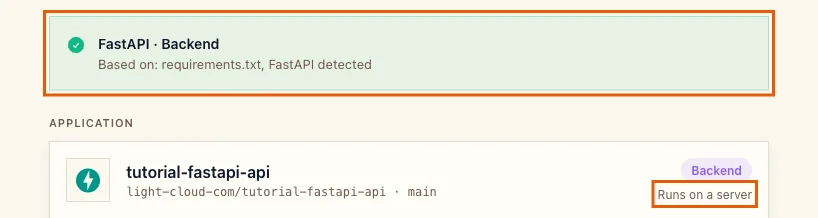
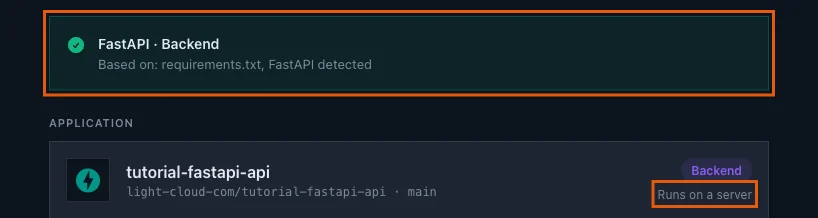
Light Cloud shows FastAPI / Backend, based on requirements.txt, and Runs on a server:
- Open Advanced - build settings, environment variables, domain, scaling. Port is already
8000, the port uvicorn is started on. Leave it.


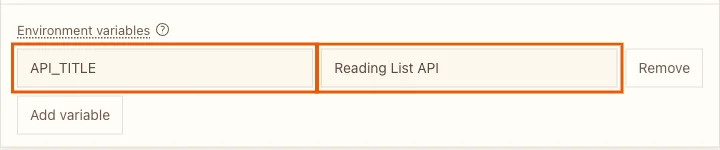
- Under Environment variables, click Add variable and add
API_TITLEwith the valueReading List API.
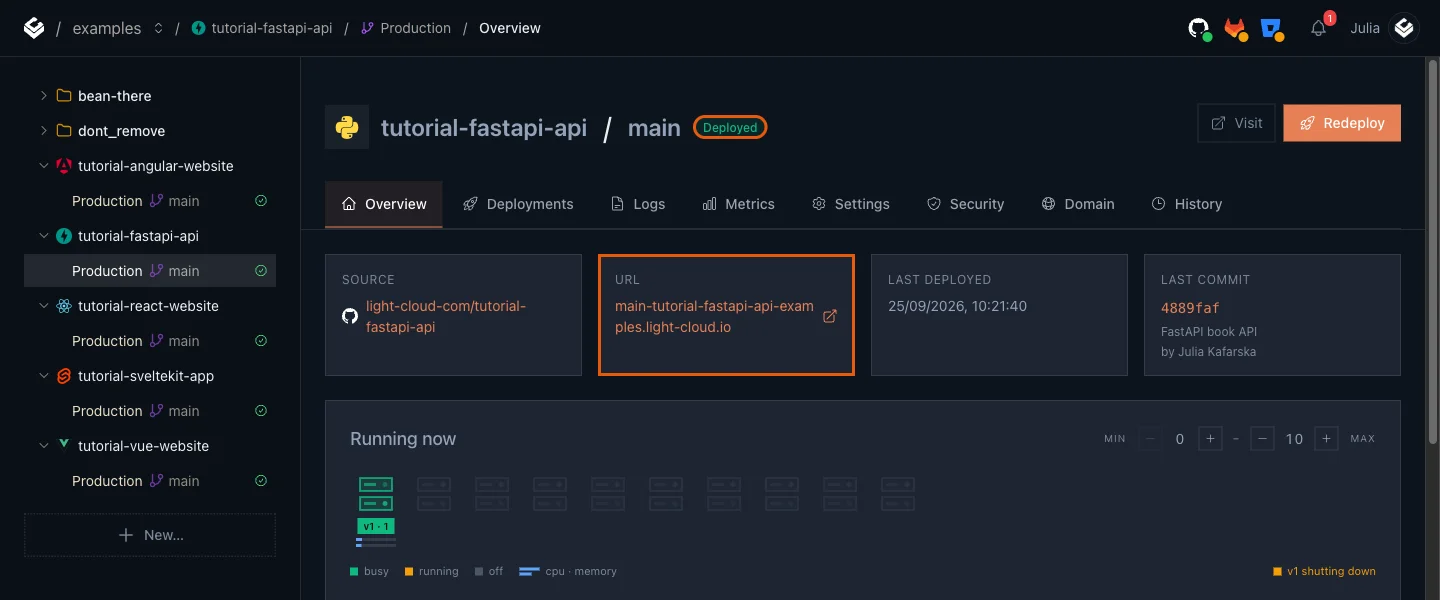
- Click Deploy and wait for Deployed (97 seconds in my run: the first build installs every package). The URL card has the address:
Step 6: Use the live API and its docs
$ curl https://main-tutorial-fastapi-api-yourworkspace.light-cloud.io/
{"message":"Hello from FastAPI","docs":"/docs"}
$ curl -X POST https://main-tutorial-fastapi-api-yourworkspace.light-cloud.io/books -H "content-type: application/json" \
  -d '{"title":"The Pragmatic Programmer","author":"Andrew Hunt","year":1999}'
{"title":"The Pragmatic Programmer","author":"Andrew Hunt","year":1999,"id":1}PS> curl.exe https://main-tutorial-fastapi-api-yourworkspace.light-cloud.io/
{"message":"Hello from FastAPI","docs":"/docs"}
PS> curl.exe -X POST https://main-tutorial-fastapi-api-yourworkspace.light-cloud.io/books -H "content-type: application/json" `
-d '{"title":"The Pragmatic Programmer","author":"Andrew Hunt","year":1999}'
{"title":"The Pragmatic Programmer","author":"Andrew Hunt","year":1999,"id":1}The first request after a quiet period takes a few seconds (3 seconds in my run) while an instance starts.
Now open /docs on your address. Swagger UI lists every route with the title from API_TITLE. Expand POST /books, click Try it out, edit the example and click Execute:
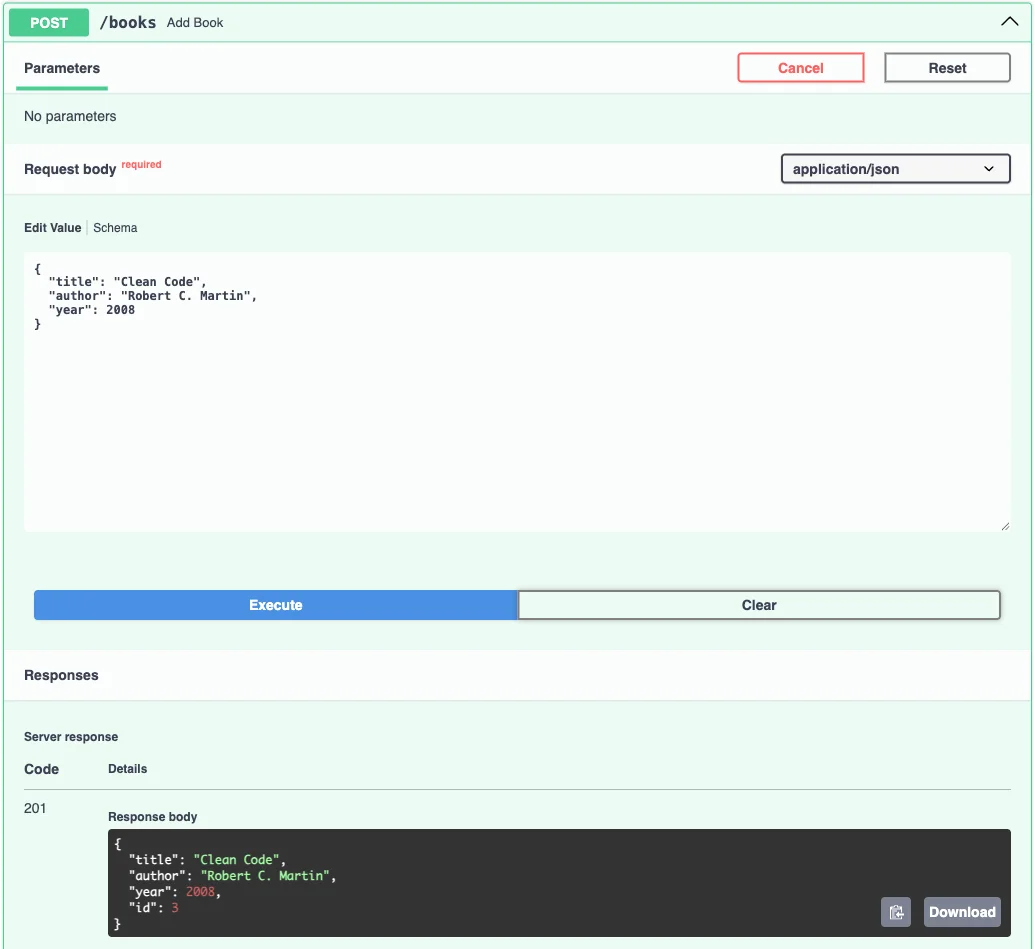
Your id may differ. In my run it was 3, although I had added only one book before, from a different terminal. That is the in-memory list at work: each instance keeps its own copy, and the next section explains why that matters.
Where data lives
The books dictionary lives in the memory of one running instance. On Light Cloud, as on any cloud platform:
- a new deploy replaces the instances, so the list starts empty;
- with Min instances at 0, the API stops when idle and starts empty on the next request;
- under load several instances run at once, each with its own list.
That is fine for a demo and wrong for real data. Store it in a database: a frontend, two APIs and a database shows a FastAPI service with PostgreSQL through psycopg.
Troubleshooting
The deploy fails because the app cannot be found
Light Cloud starts uvicorn main:app, or app:app if the file is app.py. If your app is in src/api.py or the object has another name, uvicorn cannot find it. Move the entry point to main.py at the root with app = FastAPI(), or set Root directory to the folder that contains main.py.
FastAPI is not detected
Light Cloud looks for fastapi in requirements.txt or pyproject.toml at the root (or in the Root directory). A project that installs FastAPI only through another tool's lock file is not detected; add a requirements.txt.
More tutorials


Microservices Part 1: Deploy a Frontend, Two APIs and a Database
Deploy a React frontend, a Node.js API, a Python FastAPI API and PostgreSQL from one GitHub monorepo on Light Cloud, step by step, with every screen shown.
 Julia
Julia

Put a Node.js Express API Online: Port, Environment Variables and Logs
Deploy an Express 5 API on Light Cloud without a Dockerfile: listen on PORT, read settings from environment variables, write JSON logs with a severity, and find every request in the Logs tab.
Julia

Deploy a SvelteKit Site as Static Files: adapter-static and Prerendering
Deploy a SvelteKit site with adapter-static to Light Cloud: fix the Encountered dynamic routes error with export const prerender = true, and get real HTML pages served from the edge, deep links included.
Julia