A Flask App in Production, Without Writing a Dockerfile
An app.py, a template, a stylesheet and a requirements.txt. Light Cloud swaps the development server for gunicorn and serves it all over HTTPS.



On this pageShowHide
To deploy a Flask app on Light Cloud, put flask and gunicorn in requirements.txt, keep the Flask object as app in app.py, push to GitHub and click Deploy in the console. Light Cloud detects Flask, installs the requirements and starts gunicorn app:app on the container's port, so the development server never runs in production. Templates and static files work as they do on your machine.
In my run the first deploy took 85 seconds.
What you will build
"Split the bill": a Flask page with a Jinja template, a stylesheet and a form, plus a small JSON API, live on a light-cloud.io address:
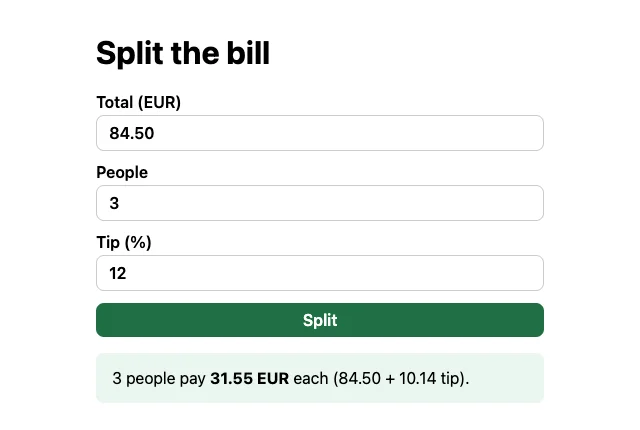
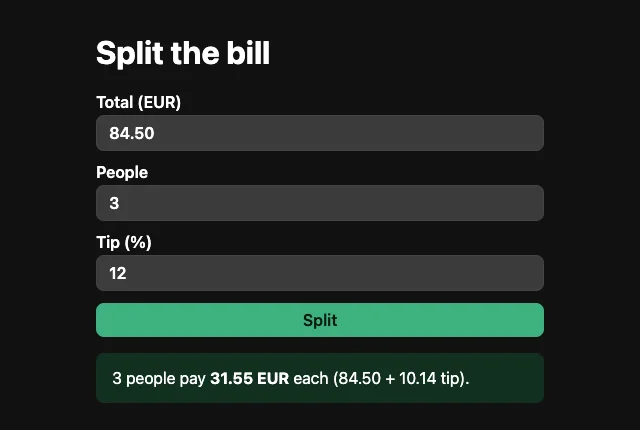
The currency code, EUR, comes from an environment variable set in the console.
Source code: github.com/light-cloud-com/tutorial-flask-app.
Before you start
- Python 3.10 or later (what gunicorn 26 requires); I used Python 3.13.
- Git and a GitHub account.
- A free Light Cloud account at console.light-cloud.com with GitHub connected. The free Hobby plan includes one service, enough for this app.
- A terminal with curl. On Windows, use PowerShell 7 and
curl.exe, which ships with Windows 10 and 11.
Step 1: Create the project
$ mkdir tutorial-flask-app
$ cd tutorial-flask-app
$ python3 -m venv .venv
$ source .venv/bin/activate
$ pip install flask gunicorn
Successfully installed ... flask-3.1.3 gunicorn-26.2.0 jinja2-3.1.6 ... werkzeug-3.1.8PS> mkdir tutorial-flask-app
PS> cd tutorial-flask-app
PS> py -m venv .venv
PS> .venv\Scripts\Activate.ps1
PS> pip install flask gunicorn
Successfully installed ... flask-3.1.3 gunicorn-26.2.0 jinja2-3.1.6 ... werkzeug-3.1.8Output is trimmed; on Windows, mkdir also prints a short table describing the new folder. gunicorn is the production server. It does not run on Windows itself, but it only needs to be in the requirements: Light Cloud's build runs on Linux.
Write down the versions and the Python version the build should use:
Flask==3.1.3
gunicorn==26.2.0
3.13
.venv/
__pycache__/
.env
Step 2: Write the app
import os
from decimal import Decimal, InvalidOperation, ROUND_HALF_UP

from flask import Flask, jsonify, render_template, request

app = Flask(__name__)

# Shown after every amount. Set CURRENCY on Light Cloud to change it.
CURRENCY = os.environ.get("CURRENCY", "USD")


def split_bill(total: str, people: str, tip_percent: str) -> dict:
    """Validate the form values and return the split, or raise ValueError."""
    try:
        total_d = Decimal(total)
        people_n = int(people)
        tip_d = Decimal(tip_percent)
    except (InvalidOperation, ValueError):
        raise ValueError("Enter numbers only.")
    if total_d <= 0 or people_n < 1 or tip_d < 0:
        raise ValueError("The total and the number of people must be above zero.")

    cents = Decimal("0.01")
    tip = (total_d * tip_d / 100).quantize(cents, ROUND_HALF_UP)
    grand_total = total_d + tip
    each = (grand_total / people_n).quantize(cents, ROUND_HALF_UP)
    return {
        "total": str(total_d.quantize(cents)),
        "tip": str(tip),
        "grand_total": str(grand_total.quantize(cents)),
        "people": people_n,
        "each": str(each),
        "currency": CURRENCY,
    }


@app.route("/", methods=["GET", "POST"])
def index():
    result, error = None, None
    form = {"total": "", "people": "2", "tip": "10"}
    if request.method == "POST":
        form = {key: request.form.get(key, "").strip() for key in form}
        try:
            result = split_bill(form["total"], form["people"], form["tip"])
        except ValueError as exc:
            error = str(exc)
            app.logger.warning("invalid input: %s", form)
    return render_template("index.html", form=form, result=result, error=error, currency=CURRENCY)


@app.get("/api/split")
def api_split():
    try:
        return jsonify(
            split_bill(
                request.args.get("total", ""),
                request.args.get("people", "1"),
                request.args.get("tip", "0"),
            )
        )
    except ValueError as exc:
        return jsonify({"error": str(exc)}), 400


@app.get("/health")
def health():
    return {"status": "ok"}


if __name__ == "__main__":
    # Only for `python app.py` on your machine. Light Cloud runs gunicorn instead.
    app.run(debug=True)
Amounts use Decimal, not floats, so 84.50 never turns into 84.4999. The last block runs only when you start the file with python app.py; in production the app is imported, not run, so debug mode can never leak online.
The page template goes in a templates folder, where render_template looks for it:
<!doctype html>
<html lang="en">
<head>
  <meta charset="utf-8">
  <meta name="viewport" content="width=device-width, initial-scale=1">
  <title>Split the bill</title>
  <link rel="stylesheet" href="{{ url_for('static', filename='style.css') }}">
</head>
<body>
  <h1>Split the bill</h1>

  <form method="post">
    <label>Total ({{ currency }}) <input name="total" value="{{ form.total }}" inputmode="decimal" required></label>
    <label>People <input name="people" value="{{ form.people }}" inputmode="numeric" required></label>
    <label>Tip (%) <input name="tip" value="{{ form.tip }}" inputmode="decimal" required></label>
    <button type="submit">Split</button>
  </form>

  {% if error %}
    <p class="error">{{ error }}</p>
  {% endif %}

  {% if result %}
    <p class="result">
      {{ result.people }} people pay <strong>{{ result.each }} {{ currency }}</strong> each
      ({{ result.total }} + {{ result.tip }} tip).
    </p>
  {% endif %}
</body>
</html>
The stylesheet goes in static/style.css; the one in the repository follows the visitor's light or dark setting. Any CSS works.
Step 3: Run it on your machine
$ flask --app app run --port 8000
 * Serving Flask app 'app'
 * Debug mode: off
* Running on http://127.0.0.1:8000PS> flask --app app run --port 8000
* Serving Flask app 'app'
* Debug mode: off
* Running on http://127.0.0.1:8000Output is trimmed. Why port 8000 and not Flask's usual 5000: on a Mac, AirPlay Receiver also listens on port 5000, and a browser opening localhost:5000 can end up there with 403 Forbidden. I hit exactly that.
Open http://127.0.0.1:8000 and split a bill, or call the API from a second terminal:
$ curl "http://127.0.0.1:8000/api/split?total=84.50&people=3&tip=12"
{"currency":"USD","each":"31.55","grand_total":"94.64","people":3,"tip":"10.14","total":"84.50"}PS> curl.exe "http://127.0.0.1:8000/api/split?total=84.50&people=3&tip=12"
{"currency":"USD","each":"31.55","grand_total":"94.64","people":3,"tip":"10.14","total":"84.50"}Stop the server with Ctrl+C.
Step 4: Push it to GitHub
$ git init -b main
$ git add -A
$ git commit -m "Flask app: split the bill"
# Create an empty repository named tutorial-flask-app on github.com/new first.
$ git remote add origin https://github.com/YOUR-USERNAME/tutorial-flask-app.git
$ git push -u origin main
To https://github.com/YOUR-USERNAME/tutorial-flask-app.git
 * [new branch]      main -> main
branch 'main' set up to track 'origin/main'.PS> git init -b main
PS> git add -A
PS> git commit -m "Flask app: split the bill"
# Create an empty repository named tutorial-flask-app on github.com/new first.
PS> git remote add origin https://github.com/YOUR-USERNAME/tutorial-flask-app.git
PS> git push -u origin main
To https://github.com/YOUR-USERNAME/tutorial-flask-app.git
* [new branch] main -> main
branch 'main' set up to track 'origin/main'.Step 5: Deploy it
- In the Light Cloud console, click New..., then Deploy from GitHub, and pick
tutorial-flask-app.
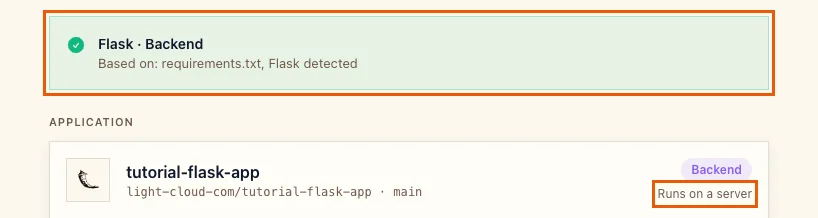
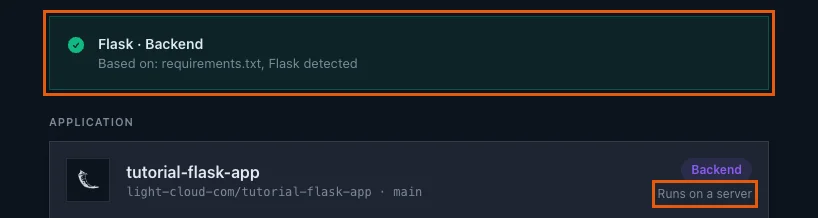
Light Cloud shows Flask / Backend, based on requirements.txt, and Runs on a server:
- Open Advanced - build settings, environment variables, domain, scaling. Port is
8000; gunicorn is started on the port Light Cloud gives the container, so there is nothing to change.


- Under Environment variables, click Add variable and add
CURRENCYwith the valueEUR.
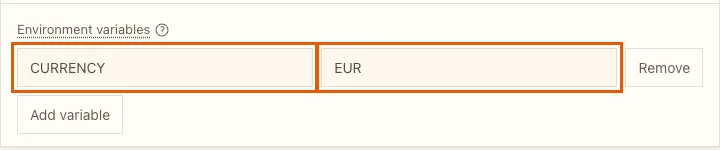
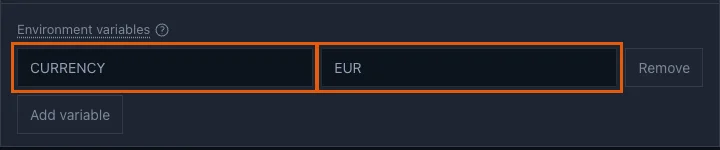
- Click Deploy and wait for Deployed (85 seconds in my run). The URL card has the address:
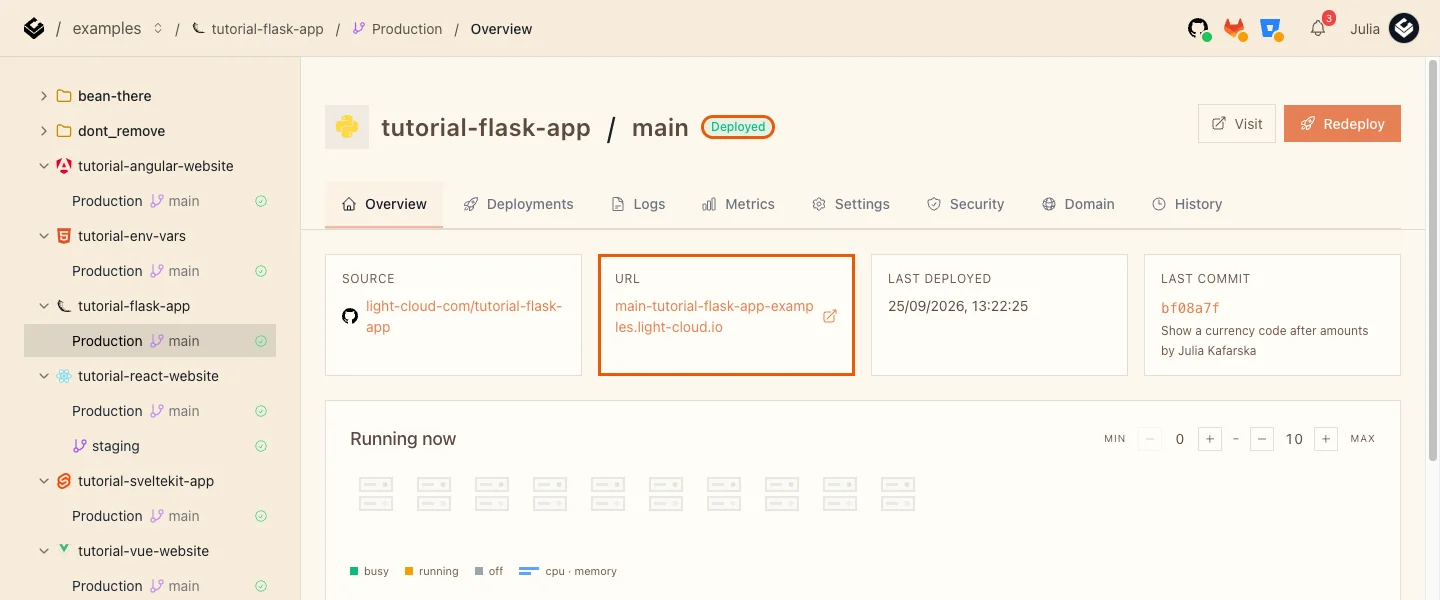
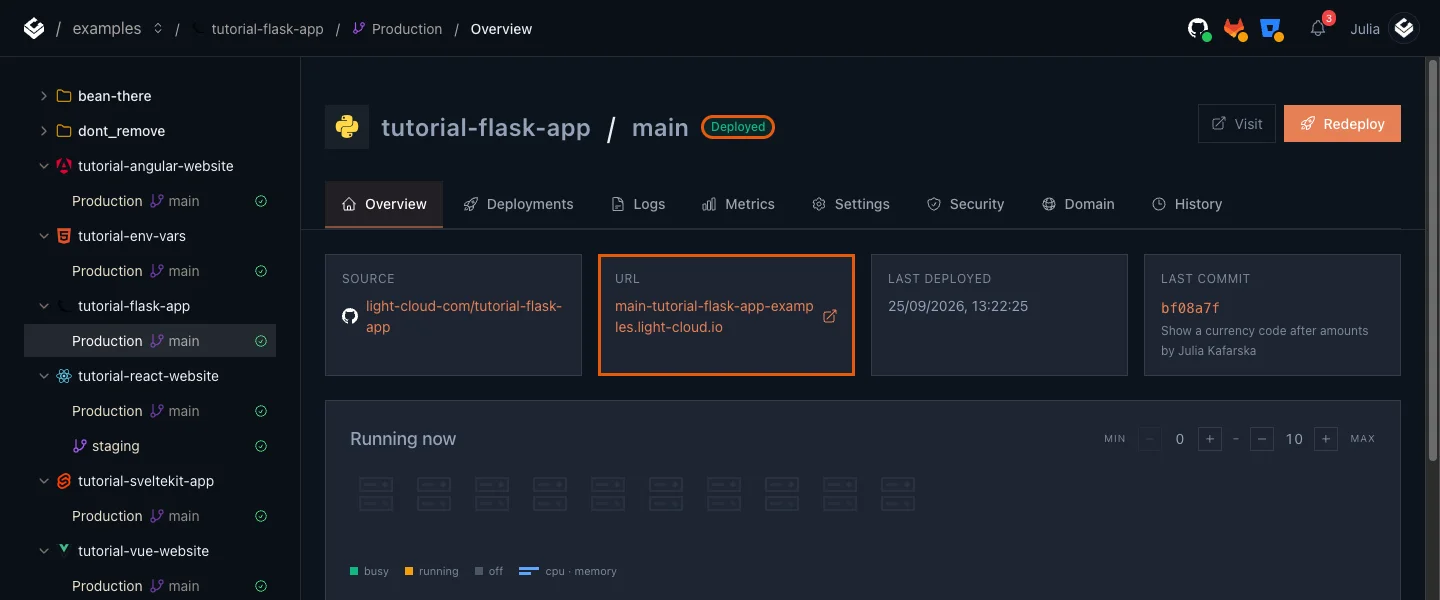
The build read .python-version and used Python 3.13, and started the app with gunicorn instead of app.run().
Step 6: Use it
Open the address and split a bill: the page, its stylesheet and the form all come from the container (the screenshot at the top). The API works the same way:
$ curl "https://main-tutorial-flask-app-yourworkspace.light-cloud.io/api/split?total=84.50&people=3&tip=12"
{"currency":"EUR","each":"31.55","grand_total":"94.64","people":3,"tip":"10.14","total":"84.50"}
$ curl "https://main-tutorial-flask-app-yourworkspace.light-cloud.io/api/split?total=abc&people=3"
{"error":"Enter numbers only."}PS> curl.exe "https://main-tutorial-flask-app-yourworkspace.light-cloud.io/api/split?total=84.50&people=3&tip=12"
{"currency":"EUR","each":"31.55","grand_total":"94.64","people":3,"tip":"10.14","total":"84.50"}
PS> curl.exe "https://main-tutorial-flask-app-yourworkspace.light-cloud.io/api/split?total=abc&people=3"
{"error":"Enter numbers only."}The currency is now EUR, from the variable. The first request after a quiet period takes a moment (2 seconds in my run) while an instance starts.
Step 7: Handle more requests at once
Open the Logs tab. The first lines of each instance show how the app was started:
[INFO] Starting gunicorn 26.2.0
[INFO] Listening at: http://0.0.0.0:8000 (2)
[INFO] Booting worker with pid: 3
One worker handles one request at a time, which is fine for a small app: Light Cloud adds instances when traffic grows. If your requests wait on something slow, such as an external API, give each instance more workers and threads. gunicorn reads extra options from the GUNICORN_CMD_ARGS environment variable, so there is no code to change:
- Open Production, Settings, and click Edit next to Environment Variables.
- Add
GUNICORN_CMD_ARGSwith the value--workers 2 --threads 4, and click Save.
After the redeploy (60 seconds in my run) the log shows two workers using threads:
[INFO] Starting gunicorn 26.2.0
[INFO] Listening at: http://0.0.0.0:8000 (2)
[INFO] Using worker: gthread
[INFO] Booting worker with pid: 3
[INFO] Booting worker with pid: 4
Each worker is a full copy of the app in memory, so on the smallest size (512 MB) keep it to two or three.
Troubleshooting
The deploy fails because the app cannot be found
Light Cloud starts gunicorn app:app, or main:app if your file is main.py. If the Flask object has another name, or the app lives in a package created by an application factory such as create_app(), add a small app.py at the root that does from mypackage import create_app and app = create_app().
http://localhost:5000 shows 403 Forbidden
That is macOS AirPlay Receiver, not Flask. Use --port 8000 as in Step 3, or turn off AirPlay Receiver in System Settings, General, AirDrop & Handoff.
More tutorials


Django + PostgreSQL on Light Cloud: Migrations, Static Files and a Live Admin
Deploy Django 6 with PostgreSQL on Light Cloud without a Dockerfile: settings from environment variables, migrations from your laptop, static files with WhiteNoise, and a working admin behind HTTPS.
 Julia
Julia

FastAPI in Production: From main.py to a Public URL
Deploy a FastAPI app to Light Cloud without a Dockerfile: requirements.txt and main.py are enough, uvicorn is started on the right port, and the Swagger docs at /docs are live in about 90 seconds.
Julia

Microservices Part 1: Deploy a Frontend, Two APIs and a Database
Deploy a React frontend, a Node.js API, a Python FastAPI API and PostgreSQL from one GitHub monorepo on Light Cloud, step by step, with every screen shown.
Julia