A Go (Gin) API Deployed in Five Steps
A link shortener in one main.go, compiled to a single binary by Light Cloud. It starts in a quarter of a second, logs in JSON, and shuts down cleanly.



On this pageShowHide
To deploy a Go API with Gin on Light Cloud, keep go.mod and main.go at the root of the repository, listen on the port in PORT, push to GitHub and click Deploy. Light Cloud detects Gin from go.mod, compiles the app into one binary with go build and runs it in a small container. Set GIN_MODE=release in the console so Gin runs in production mode.
In my run a new instance was answering 0.27 seconds after it started.
What you will build
A tiny link shortener: POST /links stores a URL, GET /l/1 redirects to it, and GET /health answers {"status":"ok"}. It writes JSON logs the Logs tab understands and shuts down cleanly when Light Cloud replaces an instance.
Source code: github.com/light-cloud-com/tutorial-go-gin-api.
Before you start
- Go 1.25 or later; I used Go 1.27.1.
- Git and a GitHub account.
- A free Light Cloud account at console.light-cloud.com with GitHub connected. The free Hobby plan includes one service.
- A terminal with curl. On Windows, use PowerShell 7 and
curl.exe, which ships with Windows 10 and 11.
Step 1: Create the module
$ mkdir tutorial-go-gin-api
$ cd tutorial-go-gin-api
$ go mod init github.com/YOUR-USERNAME/tutorial-go-gin-api
go: creating new go.mod: module github.com/YOUR-USERNAME/tutorial-go-gin-api
$ go get github.com/gin-gonic/gin@latest
go: added github.com/gin-gonic/gin v1.12.0PS> mkdir tutorial-go-gin-api
PS> cd tutorial-go-gin-api
PS> go mod init github.com/YOUR-USERNAME/tutorial-go-gin-api
go: creating new go.mod: module github.com/YOUR-USERNAME/tutorial-go-gin-api
PS> go get github.com/gin-gonic/gin@latest
go: added github.com/gin-gonic/gin v1.12.0Output is trimmed; go get lists every module it adds. On Windows, mkdir also prints a short table describing the new folder.
Step 2: Write the API
Everything goes in one file:
package main

import (
	"context"
	"errors"
	"log/slog"
	"net/http"
	"os"
	"os/signal"
	"strconv"
	"sync"
	"syscall"
	"time"

	"github.com/gin-gonic/gin"
)

type Link struct {
	ID  int    `json:"id"`
	URL string `json:"url"`
}

type newLink struct {
	URL string `json:"url" binding:"required,url"`
}

// store keeps links in memory: fine for a demo, gone on every restart.
type store struct {
	mu    sync.Mutex
	links []Link
}

func (s *store) add(url string) Link {
	s.mu.Lock()
	defer s.mu.Unlock()
	link := Link{ID: len(s.links) + 1, URL: url}
	s.links = append(s.links, link)
	return link
}

func (s *store) get(id int) (Link, bool) {
	s.mu.Lock()
	defer s.mu.Unlock()
	if id < 1 || id > len(s.links) {
		return Link{}, false
	}
	return s.links[id-1], true
}

func main() {
	// JSON logs on stdout. The Logs tab reads "severity" and "message",
	// so rename slog's "level" and "msg" keys.
	logger := slog.New(slog.NewJSONHandler(os.Stdout, &slog.HandlerOptions{
		ReplaceAttr: func(groups []string, a slog.Attr) slog.Attr {
			switch a.Key {
			case slog.LevelKey:
				a.Key = "severity"
			case slog.MessageKey:
				a.Key = "message"
			}
			return a
		},
	}))

	links := &store{}
	router := gin.New()
	router.Use(gin.Recovery())

	router.GET("/health", func(c *gin.Context) {
		c.JSON(http.StatusOK, gin.H{"status": "ok"})
	})

	router.POST("/links", func(c *gin.Context) {
		var body newLink
		if err := c.ShouldBindJSON(&body); err != nil {
			c.JSON(http.StatusBadRequest, gin.H{"error": "send {\"url\": \"https://...\"}"})
			return
		}
		link := links.add(body.URL)
		logger.Info("link created", "id", link.ID, "url", link.URL)
		c.JSON(http.StatusCreated, link)
	})

	// /l/3 redirects to the link with id 3.
	router.GET("/l/:id", func(c *gin.Context) {
		id, _ := strconv.Atoi(c.Param("id"))
		link, ok := links.get(id)
		if !ok {
			c.JSON(http.StatusNotFound, gin.H{"error": "link not found"})
			return
		}
		c.Redirect(http.StatusFound, link.URL)
	})

	// Light Cloud tells the app which port to use in PORT.
	port := os.Getenv("PORT")
	if port == "" {
		port = "8080"
	}
	server := &http.Server{Addr: ":" + port, Handler: router}

	// Stop cleanly on SIGTERM, which Light Cloud sends to old instances.
	ctx, stop := signal.NotifyContext(context.Background(), syscall.SIGINT, syscall.SIGTERM)
	defer stop()

	go func() {
		logger.Info("listening", "port", port, "mode", gin.Mode())
		if err := server.ListenAndServe(); err != nil && !errors.Is(err, http.ErrServerClosed) {
			logger.Error("server stopped", "error", err)
			os.Exit(1)
		}
	}()

	<-ctx.Done()
	logger.Info("shutting down")
	shutdownCtx, cancel := context.WithTimeout(context.Background(), 10*time.Second)
	defer cancel()
	_ = server.Shutdown(shutdownCtx)
}
Three production details are in there:
- The port comes from
PORT. 8080 is only the fallback for your machine. - Logs are JSON with
severityandmessage.log/slogwriteslevelandmsg;ReplaceAttrrenames them to the names the Logs tab reads, so each line gets the right level. SIGTERMstops the server gracefully. When a new version goes live, Light Cloud sends the old instanceSIGTERM;server.Shutdownlets requests in flight finish.
Tidy the module so go.sum lists everything the build needs, and keep the compiled binary out of Git:
$ go mod tidyPS> go mod tidy/main
/tmp
Step 3: Run it on your machine
$ go run .
[GIN-debug] [WARNING] Running in "debug" mode. Switch to "release" mode in production.
 - using env:	export GIN_MODE=release
 - using code:	gin.SetMode(gin.ReleaseMode)
{"time":"2026-09-25T14:08:40.505932+02:00","severity":"INFO","message":"listening","port":"8080","mode":"debug"}PS> go run .
[GIN-debug] [WARNING] Running in "debug" mode. Switch to "release" mode in production.
- using env: export GIN_MODE=release
- using code: gin.SetMode(gin.ReleaseMode)
{"time":"2026-09-25T14:08:40.505932+02:00","severity":"INFO","message":"listening","port":"8080","mode":"debug"}Output is trimmed; debug mode also lists the routes. Gin is telling you what to set in production, which you will do in Step 5. From a second terminal:
$ curl -X POST http://localhost:8080/links -H "content-type: application/json" -d '{"url":"https://light-cloud.com"}'
{"id":1,"url":"https://light-cloud.com"}
$ curl -X POST http://localhost:8080/links -H "content-type: application/json" -d '{"url":"not a url"}'
{"error":"send {\"url\": \"https://...\"}"}PS> curl.exe -X POST http://localhost:8080/links -H "content-type: application/json" -d '{"url":"https://light-cloud.com"}'
{"id":1,"url":"https://light-cloud.com"}
PS> curl.exe -X POST http://localhost:8080/links -H "content-type: application/json" -d '{"url":"not a url"}'
{"error":"send {\"url\": \"https://...\"}"}Now open http://localhost:8080/l/1 in your browser: it takes you to light-cloud.com. The binding:"required,url" tag on the struct rejects anything that is not a URL, as the second request shows. Stop the server with Ctrl+C.
Step 4: Push it to GitHub
$ git init -b main
$ git add -A
$ git commit -m "Gin link shortener"
# Create an empty repository named tutorial-go-gin-api on github.com/new first.
$ git remote add origin https://github.com/YOUR-USERNAME/tutorial-go-gin-api.git
$ git push -u origin main
To https://github.com/YOUR-USERNAME/tutorial-go-gin-api.git
 * [new branch]      main -> main
branch 'main' set up to track 'origin/main'.PS> git init -b main
PS> git add -A
PS> git commit -m "Gin link shortener"
# Create an empty repository named tutorial-go-gin-api on github.com/new first.
PS> git remote add origin https://github.com/YOUR-USERNAME/tutorial-go-gin-api.git
PS> git push -u origin main
To https://github.com/YOUR-USERNAME/tutorial-go-gin-api.git
* [new branch] main -> main
branch 'main' set up to track 'origin/main'.Step 5: Deploy it
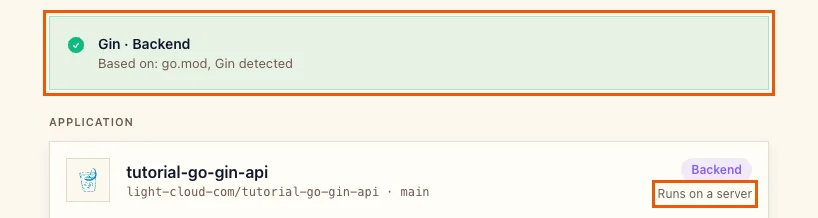
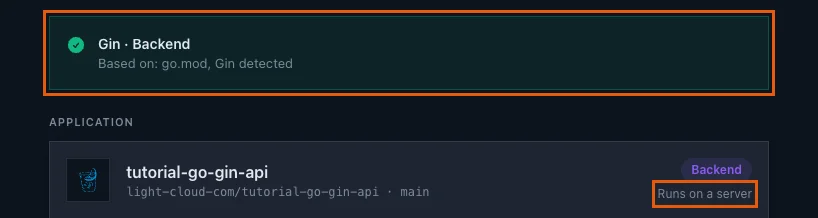
- In the Light Cloud console, click New..., then Deploy from GitHub, and pick
tutorial-go-gin-api. Light Cloud shows Gin / Backend, based ongo.mod, and Runs on a server:
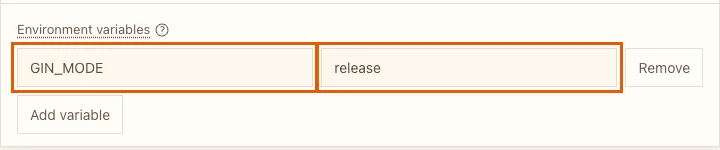
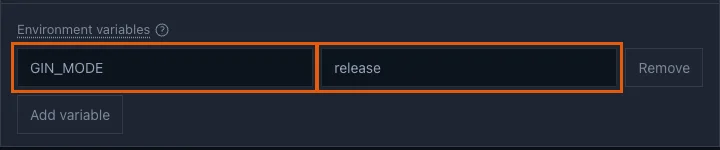
- Under Advanced, Port is
8080, the same fallback as in the code. Under Environment variables, click Add variable and addGIN_MODEwith the valuerelease:
- Click Deploy and wait for Deployed; 2 minutes 42 seconds in my run.
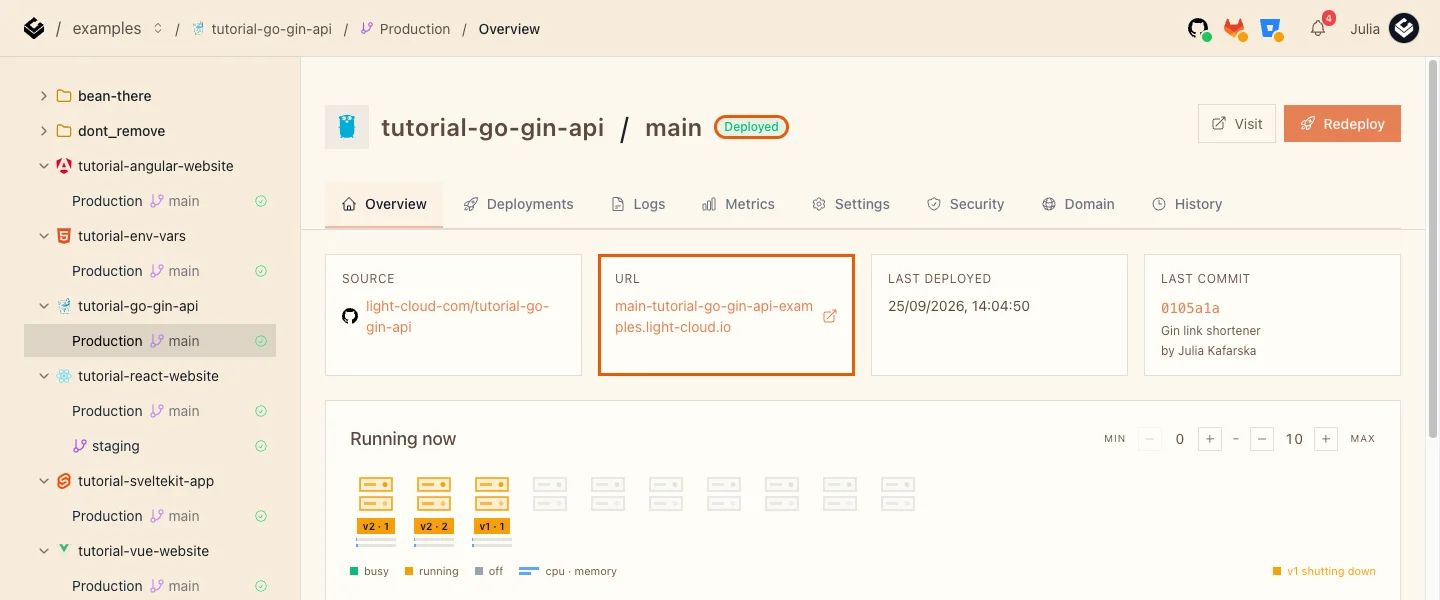
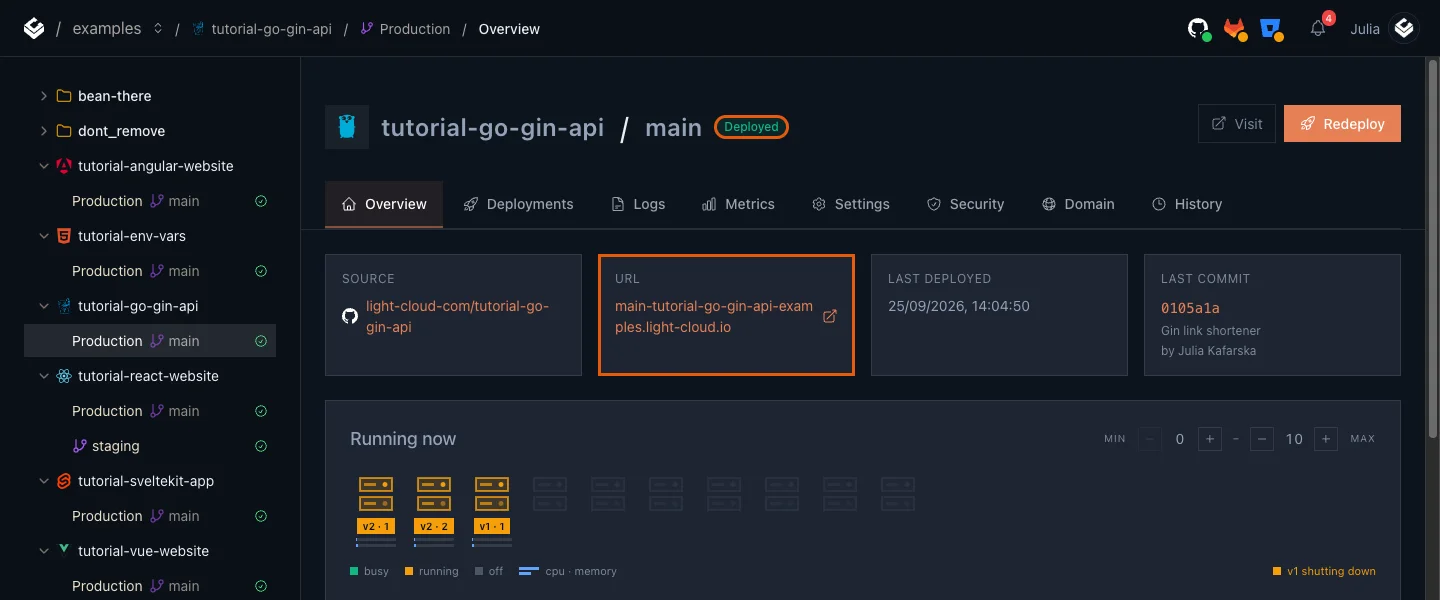
The first build takes longer than the ones after it. The build image has Go 1.25 with GOTOOLCHAIN=auto; my go.mod says go 1.27.1, so the build log shows go: downloading go1.27.1 (linux/amd64) before it compiles.
Step 6: Use it
$ curl -X POST https://main-tutorial-go-gin-api-yourworkspace.light-cloud.io/links -H "content-type: application/json" -d '{"url":"https://light-cloud.com"}'
{"id":1,"url":"https://light-cloud.com"}PS> curl.exe -X POST https://main-tutorial-go-gin-api-yourworkspace.light-cloud.io/links -H "content-type: application/json" -d '{"url":"https://light-cloud.com"}'
{"id":1,"url":"https://light-cloud.com"}Open https://main-tutorial-go-gin-api-yourworkspace.light-cloud.io/l/1 in your browser, and it takes you to light-cloud.com. Then open the Logs tab: the listening line shows "mode":"release" and each line has its level, because the JSON carries severity.
How fast does it start?
From the logs, the time from "Starting new instance" to the app's listening line:
| App | Instance start to ready |
|---|---|
| Go (Gin), this guide | 0.26 to 0.27 s |
NestJS, node dist/main | 5.4 s |
NestJS, nest start | 17.2 s |
A Go binary has no runtime to boot and nothing to compile, so it barely notices a cold start. That makes Min instances at 0, the cheapest setting, a comfortable choice for a Go API.
Troubleshooting
The build fails with missing go.sum entries
Run go mod tidy, commit go.sum and push again.
Every log line shows DEFAULT
The line is not JSON with a severity field. log.Println and the default slog JSON handler (which writes level) both show as DEFAULT; use the ReplaceAttr from Step 2.
More tutorials


Deploy a NestJS API with a Database Connection
Deploy a NestJS API with PostgreSQL on Light Cloud: PORT from the environment, a pg pool sized for serverless, request validation, a health check that tests the database, and why the start script should run node dist/main.
 Julia
Julia

A Flask App in Production, Without Writing a Dockerfile
Deploy a Flask app to Light Cloud without a Dockerfile: app.py, templates and static files, gunicorn started for you on the right port, the Python version from .python-version, and settings from environment variables.
Julia

Django + PostgreSQL on Light Cloud: Migrations, Static Files and a Live Admin
Deploy Django 6 with PostgreSQL on Light Cloud without a Dockerfile: settings from environment variables, migrations from your laptop, static files with WhiteNoise, and a working admin behind HTTPS.
Julia