Deploying ASP.NET Core Without Azure
A .NET 10 minimal API from dotnet new, deployed from GitHub to Light Cloud: no Dockerfile, no App Service plan, and ready one second after an instance starts.



On this pageShowHide
To deploy an ASP.NET Core app without Azure, push the project to GitHub and click Deploy from GitHub in Light Cloud. Light Cloud detects ASP.NET, runs dotnet publish with the SDK that matches your TargetFramework, and runs the result on the ASP.NET Core runtime with the port already set. No Dockerfile, no App Service plan. Leave out UseHttpsRedirection: HTTPS ends at Light Cloud's edge.
In my run a new instance was listening about one second after it started.
What you will build
A bookmarks API on .NET 10 with minimal APIs: POST /bookmarks with validation, GET /bookmarks, a /health check, and the OpenAPI document at /openapi/v1.json.
Source code: github.com/light-cloud-com/tutorial-aspnet-core-api.
Before you start
- The .NET 10 SDK. .NET 8 and 9 work too.
- Git and a GitHub account.
- A free Light Cloud account at console.light-cloud.com with GitHub connected.
- A terminal with curl. On Windows, use PowerShell 7 and
curl.exe, which ships with Windows 10 and 11.
Step 1: Create the project
$ dotnet new webapi -n tutorial-aspnet-core-api -o tutorial-aspnet-core-api
The template "ASP.NET Core Web API" was created successfully.
Restore succeeded.
$ cd tutorial-aspnet-core-api
$ dotnet new gitignore
The template "dotnet gitignore file" was created successfully.PS> dotnet new webapi -n tutorial-aspnet-core-api -o tutorial-aspnet-core-api
The template "ASP.NET Core Web API" was created successfully.
Restore succeeded.
PS> cd tutorial-aspnet-core-api
PS> dotnet new gitignore
The template "dotnet gitignore file" was created successfully.Output is trimmed. dotnet new webapi makes no .gitignore; the second command adds the standard one, which keeps bin and obj out of Git. You can delete the example tutorial-aspnet-core-api.http file.
The project file says which .NET it targets, and that is what Light Cloud builds with:
<TargetFramework>net10.0</TargetFramework>
Step 2: Write the API
Replace the weather forecast in Program.cs:
using System.Collections.Concurrent;
using System.ComponentModel.DataAnnotations;

var builder = WebApplication.CreateBuilder(args);

builder.Services.AddOpenApi();
builder.Services.AddHealthChecks();

var app = builder.Build();

app.MapOpenApi();
// No UseHttpsRedirection: HTTPS ends at the Light Cloud edge, and the app
// itself is reached over plain HTTP inside the platform.

// In memory, so the list starts empty after every restart.
var bookmarks = new ConcurrentDictionary<int, Bookmark>();
var nextId = 0;

app.MapGet("/bookmarks", () => bookmarks.Values.OrderBy(b => b.Id));

app.MapGet("/bookmarks/{id:int}", (int id) =>
    bookmarks.TryGetValue(id, out var bookmark)
        ? Results.Ok(bookmark)
        : Results.NotFound(new { error = "Bookmark not found" }));

app.MapPost("/bookmarks", (NewBookmark input, ILogger<Program> logger) =>
{
    // Checks the [Required], [StringLength] and [Url] attributes on NewBookmark.
    var errors = new List<ValidationResult>();
    if (!Validator.TryValidateObject(input, new ValidationContext(input), errors, validateAllProperties: true))
    {
        return Results.ValidationProblem(errors
            .GroupBy(e => e.MemberNames.FirstOrDefault() ?? "")
            .ToDictionary(g => g.Key, g => g.Select(e => e.ErrorMessage ?? "").ToArray()));
    }

    var bookmark = new Bookmark(Interlocked.Increment(ref nextId), input.Title, input.Url);
    bookmarks[bookmark.Id] = bookmark;
    logger.LogInformation("Bookmark {Id} created for {Url}", bookmark.Id, bookmark.Url);
    return Results.Created($"/bookmarks/{bookmark.Id}", bookmark);
});

app.MapHealthChecks("/health");

app.Run();

record Bookmark(int Id, string Title, string Url);

record NewBookmark(
    [property: Required, StringLength(100)] string Title,
    [property: Required, Url] string Url);
Two lines differ from the template on purpose:
- No
app.UseHttpsRedirection(). Visitors reach your app over HTTPS, but HTTPS ends at Light Cloud's edge; the app itself receives plain HTTP and has no HTTPS port of its own to redirect to. app.MapOpenApi()outside theIsDevelopment()check. The deployed app runs as Production, so the template's check would hide the OpenAPI document online. Keep the check if you do not want it public.
Step 3: Run it on your machine
$ dotnet run --urls http://localhost:5093
info: Microsoft.Hosting.Lifetime[14]
      Now listening on: http://localhost:5093
info: Microsoft.Hosting.Lifetime[0]
Application started. Press Ctrl+C to shut down.PS> dotnet run --urls http://localhost:5093
info: Microsoft.Hosting.Lifetime[14]
Now listening on: http://localhost:5093
info: Microsoft.Hosting.Lifetime[0]
Application started. Press Ctrl+C to shut down.From a second terminal, add a bookmark and send one that breaks the rules:
$ curl -X POST http://localhost:5093/bookmarks -H "content-type: application/json" -d '{"title":"Light Cloud docs","url":"https://light-cloud.com"}'
{"id":1,"title":"Light Cloud docs","url":"https://light-cloud.com"}
$ curl -X POST http://localhost:5093/bookmarks -H "content-type: application/json" -d '{"title":"","url":"nope"}'
{"type":"https://tools.ietf.org/html/rfc9110#section-15.5.1","title":"One or more validation errors occurred.","status":400,"errors":{"Title":["The Title field is required."],"Url":["The Url field is not a valid fully-qualified http, https, or ftp URL."]}}PS> curl.exe -X POST http://localhost:5093/bookmarks -H "content-type: application/json" -d '{"title":"Light Cloud docs","url":"https://light-cloud.com"}'
{"id":1,"title":"Light Cloud docs","url":"https://light-cloud.com"}
PS> curl.exe -X POST http://localhost:5093/bookmarks -H "content-type: application/json" -d '{"title":"","url":"nope"}'
{"type":"https://tools.ietf.org/html/rfc9110#section-15.5.1","title":"One or more validation errors occurred.","status":400,"errors":{"Title":["The Title field is required."],"Url":["The Url field is not a valid fully-qualified http, https, or ftp URL."]}}The error comes back as a standard problem details document, listing every broken rule. Stop the app with Ctrl+C.
Step 4: Push it to GitHub
$ git init -b main
$ git add -A
$ git commit -m "Bookmarks minimal API with validation and health check"
# Create an empty repository named tutorial-aspnet-core-api on github.com/new first.
$ git remote add origin https://github.com/YOUR-USERNAME/tutorial-aspnet-core-api.git
$ git push -u origin main
To https://github.com/YOUR-USERNAME/tutorial-aspnet-core-api.git
 * [new branch]      main -> main
branch 'main' set up to track 'origin/main'.PS> git init -b main
PS> git add -A
PS> git commit -m "Bookmarks minimal API with validation and health check"
# Create an empty repository named tutorial-aspnet-core-api on github.com/new first.
PS> git remote add origin https://github.com/YOUR-USERNAME/tutorial-aspnet-core-api.git
PS> git push -u origin main
To https://github.com/YOUR-USERNAME/tutorial-aspnet-core-api.git
* [new branch] main -> main
branch 'main' set up to track 'origin/main'.Step 5: Deploy it
- In the Light Cloud console, click New..., then Deploy from GitHub, and pick
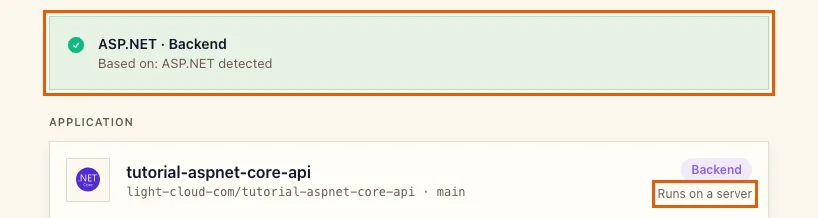
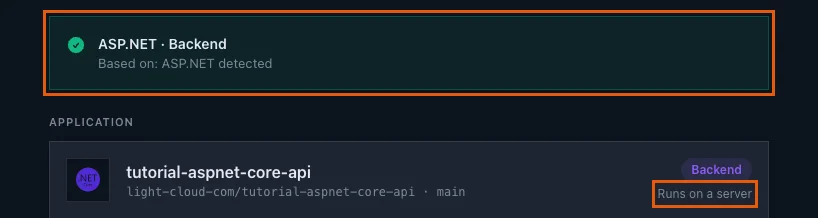
tutorial-aspnet-core-api. Light Cloud shows ASP.NET / Backend and Runs on a server:
- Leave Port at
8080and click Deploy. The build restores packages and publishes the app; in my run the new version was live 2 minutes 41 seconds aftergit push.
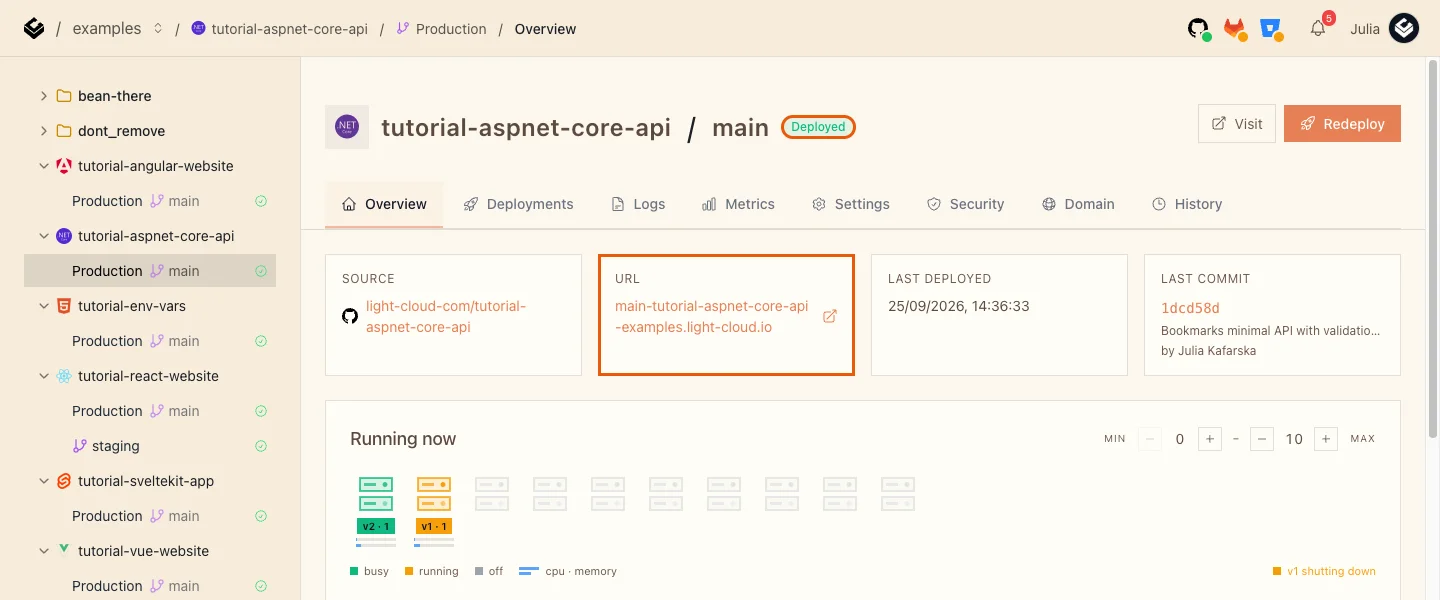
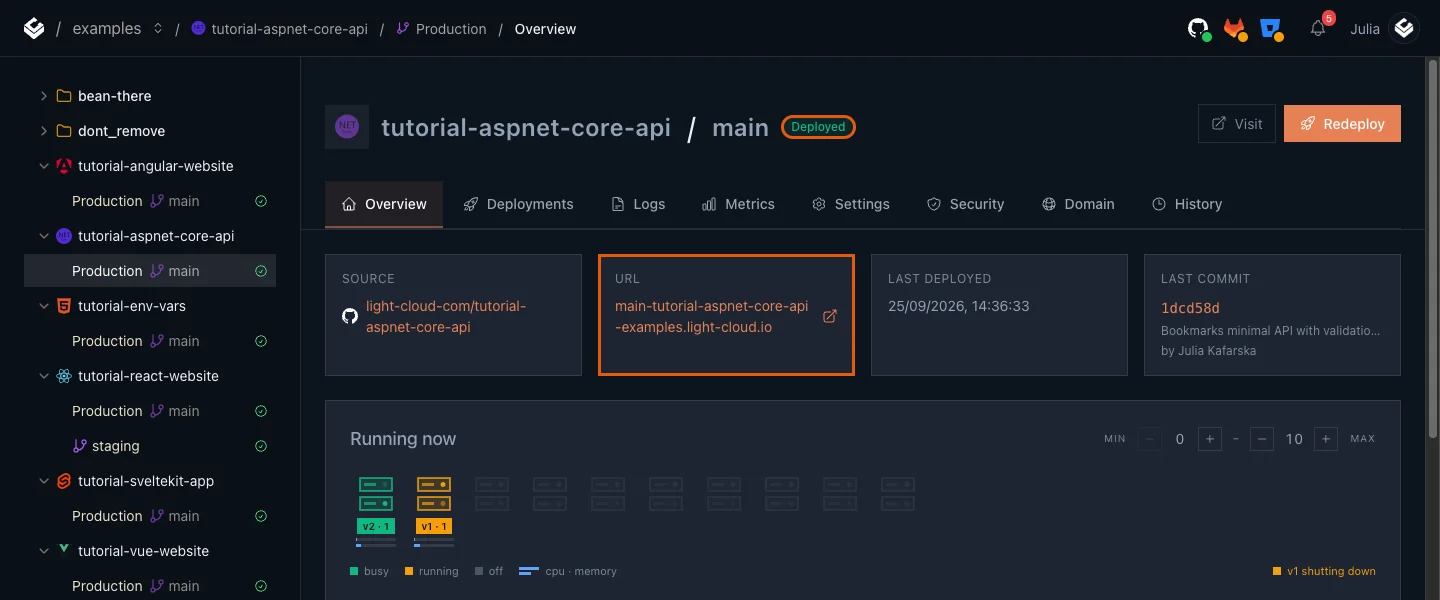
Light Cloud found the project file, read net10.0 from it, and built with the .NET 10 SDK on the ASP.NET Core 10 runtime. It also sets ASPNETCORE_URLS, so Kestrel listens on the right port with no code: the Logs tab shows Now listening on: http://[::]:8080.
Step 6: Use the live API
$ curl https://main-tutorial-aspnet-core-api-yourworkspace.light-cloud.io/health
Healthy
$ curl -X POST https://main-tutorial-aspnet-core-api-yourworkspace.light-cloud.io/bookmarks -H "content-type: application/json" -d '{"title":"Light Cloud docs","url":"https://light-cloud.com"}'
{"id":1,"title":"Light Cloud docs","url":"https://light-cloud.com"}PS> curl.exe https://main-tutorial-aspnet-core-api-yourworkspace.light-cloud.io/health
Healthy
PS> curl.exe -X POST https://main-tutorial-aspnet-core-api-yourworkspace.light-cloud.io/bookmarks -H "content-type: application/json" -d '{"title":"Light Cloud docs","url":"https://light-cloud.com"}'
{"id":1,"title":"Light Cloud docs","url":"https://light-cloud.com"}The OpenAPI document is at /openapi/v1.json on the same address, ready for any client generator.
How fast does it start?
From the logs, a new instance logged Now listening on 0.94 and 1.17 seconds after "Starting new instance". For comparison on the same platform:
| App | Instance start to ready |
|---|---|
| Go (Gin) | 0.26 to 0.27 s |
| ASP.NET Core, this guide | 0.94 to 1.17 s |
| Spring Boot | about 7 s |
That makes Min instances at 0, the cheapest setting, a good fit for most ASP.NET Core APIs.
Troubleshooting
NETSDK1045: The current .NET SDK does not support targeting .NET 10.0
error NETSDK1045: The current .NET SDK does not support targeting .NET 10.0. Either target .NET 8.0 or lower, or use a version of the .NET SDK that supports .NET 10.0.
An older build image can only compile older targets. Light Cloud picks the SDK from TargetFramework, so check that the project file your repository builds says net10.0 (or net8.0, net9.0). If your repository has several projects, Light Cloud builds the first one it finds in the root or up to two folders deep.
/openapi/v1.json answers 404 online
The template maps it only in Development. Move app.MapOpenApi() out of the if (app.Environment.IsDevelopment()) block, as in Step 2, if you want it public.
More tutorials


Spring Boot on Light Cloud: JAR, Port and Memory Settings
Deploy a Spring Boot app to Light Cloud without a Dockerfile: Gradle or Maven builds the JAR, SERVER_PORT is set for you, and JAVA_TOOL_OPTIONS=-XX:MaxRAMPercentage=75 raises the heap from 123 MB to 371 MB on a 512 MB instance.
 Julia
Julia

A Go (Gin) API Deployed in Five Steps
Deploy a Go API built with Gin to Light Cloud without a Dockerfile: go.mod and main.go at the root, PORT from the environment, GIN_MODE=release, JSON logs with a severity, and a quarter-second cold start.
Julia

Deploy a NestJS API with a Database Connection
Deploy a NestJS API with PostgreSQL on Light Cloud: PORT from the environment, a pg pool sized for serverless, request validation, a health check that tests the database, and why the start script should run node dist/main.
Julia