Put a Node.js Express API Online: Port, Environment Variables and Logs
Three habits make an Express app ready for the cloud. Build them into a small API, deploy it from GitHub, then change a setting and read the logs without touching the code.



On this pageShowHide
To put an Express API online with Light Cloud, make it listen on the port in process.env.PORT, read its settings from environment variables, push it to GitHub and choose Deploy from GitHub in the console. Light Cloud detects Express, runs npm ci and npm start in a container and gives the API an HTTPS address. No Dockerfile is needed. If every log line is JSON with a severity field, the Logs tab shows each request with its level.
In my run the first deploy took 72 seconds, and a changed environment variable was live 59 seconds after clicking Save.
What you will build
A small Express 5 API with three routes, live on a light-cloud.io address:
GET /returns a greeting and the Node.js version.GET /hello/:namegreets by name.GET /healthanswers{"status":"ok"}.
On the way it picks up three habits every Node.js API needs in the cloud: it listens on the port it is given, it reads settings from environment variables, and it writes one JSON log line per request.
Source code: github.com/light-cloud-com/tutorial-express-api.
Before you start
- Node.js 18 or later (Express 5 requires 18); I used Node.js 22.
- Git and a GitHub account.
- A free Light Cloud account at console.light-cloud.com with GitHub connected. The free Hobby plan includes one service, which is enough for this API.
- A terminal with curl. On Windows, use PowerShell 7 and
curl.exe, which ships with Windows 10 and 11.
Step 1: Create the project
$ mkdir tutorial-express-api
$ cd tutorial-express-api
$ npm init -y
$ npm install express
added 68 packages, and audited 69 packages in 692ms

found 0 vulnerabilities
$ npm pkg set type=module scripts.start="node server.js" main=server.jsPS> mkdir tutorial-express-api
PS> cd tutorial-express-api
PS> npm init -y
PS> npm install express
added 68 packages, and audited 69 packages in 692ms
found 0 vulnerabilities
PS> npm pkg set type=module scripts.start="node server.js" main=server.jsOn Windows, mkdir also prints a short table describing the new folder. The last command sets up package.json: type=module lets you use import, and the start script is how Light Cloud starts the app. Output is trimmed.
Keep node_modules out of Git:
node_modules
.env
Step 2: Write the API
import express from "express";

// Light Cloud tells the app which port to listen on through PORT.
// 8080 is the fallback for running it on your own machine.
const PORT = Number(process.env.PORT) || 8080;

// Settings come from environment variables, so the same code runs
// locally and in production with different values.
const GREETING = process.env.GREETING || "Hello";

// One JSON object per line. The Logs tab reads "severity" for the level.
function log(severity, message, fields = {}) {
  console.log(JSON.stringify({ severity, message, ...fields }));
}

const app = express();
app.use(express.json());

app.use((req, res, next) => {
  const started = Date.now();
  res.on("finish", () => {
    const severity = res.statusCode >= 500 ? "ERROR" : res.statusCode >= 400 ? "WARNING" : "INFO";
    log(severity, "request", { method: req.method, path: req.path, status: res.statusCode, ms: Date.now() - started });
  });
  next();
});

app.get("/", (req, res) => {
  res.json({ message: `${GREETING} from Express`, node: process.version });
});

app.get("/hello/:name", (req, res) => {
  res.json({ message: `${GREETING}, ${req.params.name}!` });
});

app.get("/health", (req, res) => {
  res.json({ status: "ok" });
});

app.use((req, res) => {
  res.status(404).json({ error: "Not found" });
});

app.use((err, req, res, next) => {
  log("ERROR", err.message, { path: req.path });
  res.status(500).json({ error: "Something went wrong" });
});

const server = app.listen(PORT, () => {
  log("INFO", `listening on port ${PORT}`);
});

// Light Cloud stops old instances with SIGTERM after a new version is live.
// Finish the requests in flight, then exit.
process.on("SIGTERM", () => {
  log("INFO", "SIGTERM received, shutting down");
  server.close(() => process.exit(0));
});
The three habits, in the code:
- The port comes from
PORT. In the cloud, the platform decides the port. A hard-coded port is the most common reason a Node.js app deploys but never answers. - Settings come from environment variables.
GREETINGis a stand-in for real settings such as an API key or a database address: the value lives on the platform, not in the code. - Logs are JSON with a
severity. Each request is logged when it finishes, asINFO,WARNINGfor 4xx orERRORfor 5xx.
The SIGTERM handler is a small extra: when a new version goes live, the old instance gets a few seconds to finish what it is doing.
Step 3: Run it on your machine
Start the API in one terminal:
$ npm start
{"severity":"INFO","message":"listening on port 8080"}PS> npm start
{"severity":"INFO","message":"listening on port 8080"}Call it from a second terminal:
$ curl http://localhost:8080/hello/Ada
{"message":"Hello, Ada!"}
$ curl http://localhost:8080/nope
{"error":"Not found"}PS> curl.exe http://localhost:8080/hello/Ada
{"message":"Hello, Ada!"}
PS> curl.exe http://localhost:8080/nope
{"error":"Not found"}The first terminal now shows one log line per request, the second as a warning:
{"severity":"INFO","message":"request","method":"GET","path":"/hello/Ada","status":200,"ms":1}
{"severity":"WARNING","message":"request","method":"GET","path":"/nope","status":404,"ms":1}
Stop the API with Ctrl+C.
Step 4: Push it to GitHub
$ git init -b main
$ git add -A
$ git commit -m "Express API with PORT, env vars and JSON logs"
# Create an empty repository named tutorial-express-api on github.com/new first.
$ git remote add origin https://github.com/YOUR-USERNAME/tutorial-express-api.git
$ git push -u origin main
To https://github.com/YOUR-USERNAME/tutorial-express-api.git
 * [new branch]      main -> main
branch 'main' set up to track 'origin/main'.PS> git init -b main
PS> git add -A
PS> git commit -m "Express API with PORT, env vars and JSON logs"
# Create an empty repository named tutorial-express-api on github.com/new first.
PS> git remote add origin https://github.com/YOUR-USERNAME/tutorial-express-api.git
PS> git push -u origin main
To https://github.com/YOUR-USERNAME/tutorial-express-api.git
* [new branch] main -> main
branch 'main' set up to track 'origin/main'.Step 5: Deploy it with an environment variable
- In the Light Cloud console, click New..., then Deploy from GitHub.
- Search for
tutorial-express-apiand click it.
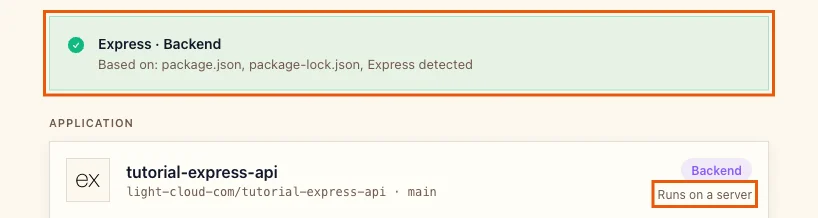
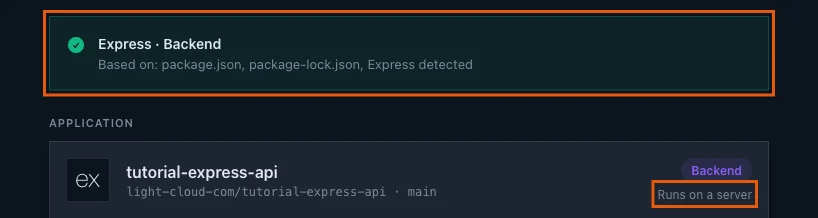
Light Cloud shows Express / Backend and Runs on a server: unlike a static website, an API needs a running process, so it gets a container.
- Open Advanced - build settings, environment variables, domain, scaling. Port is
8080. Light Cloud passes it to the app asPORT, which is exactly whatserver.jsreads. Leave it as it is.


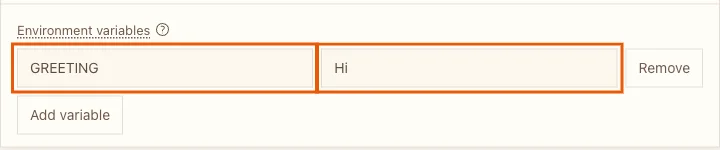
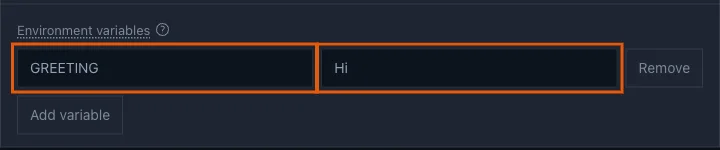
- Under Environment variables, click Add variable. Enter
GREETINGas the name andHias the value.
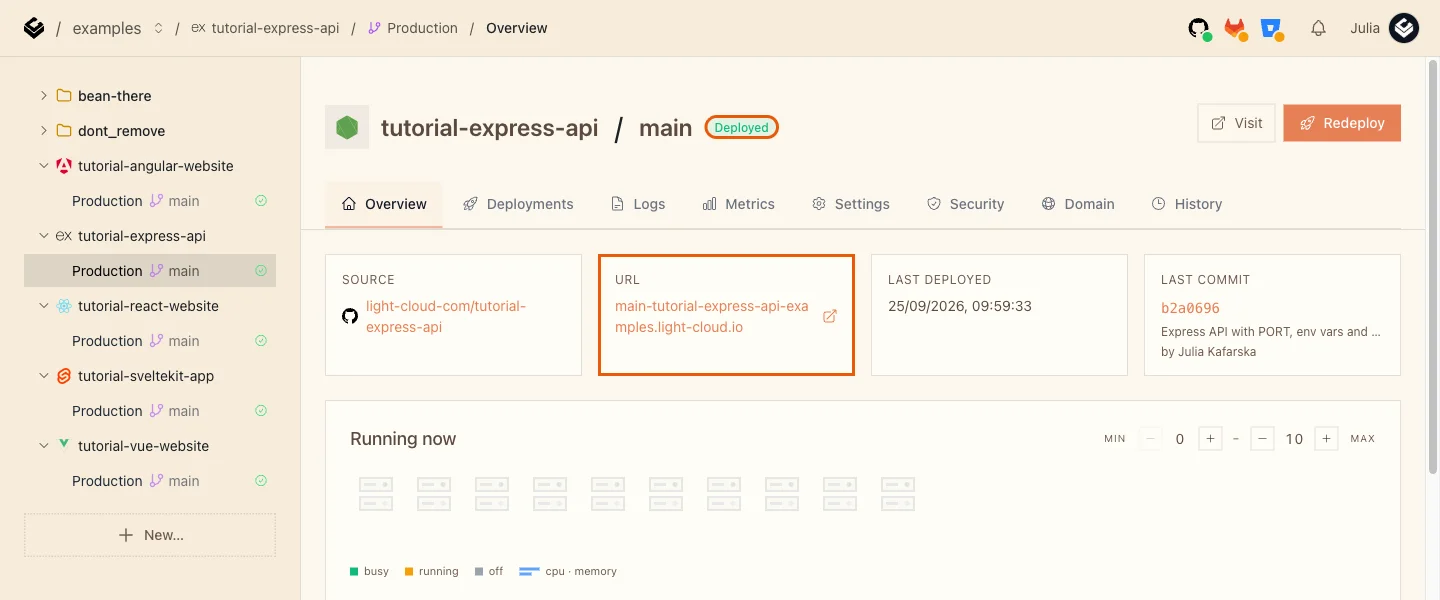
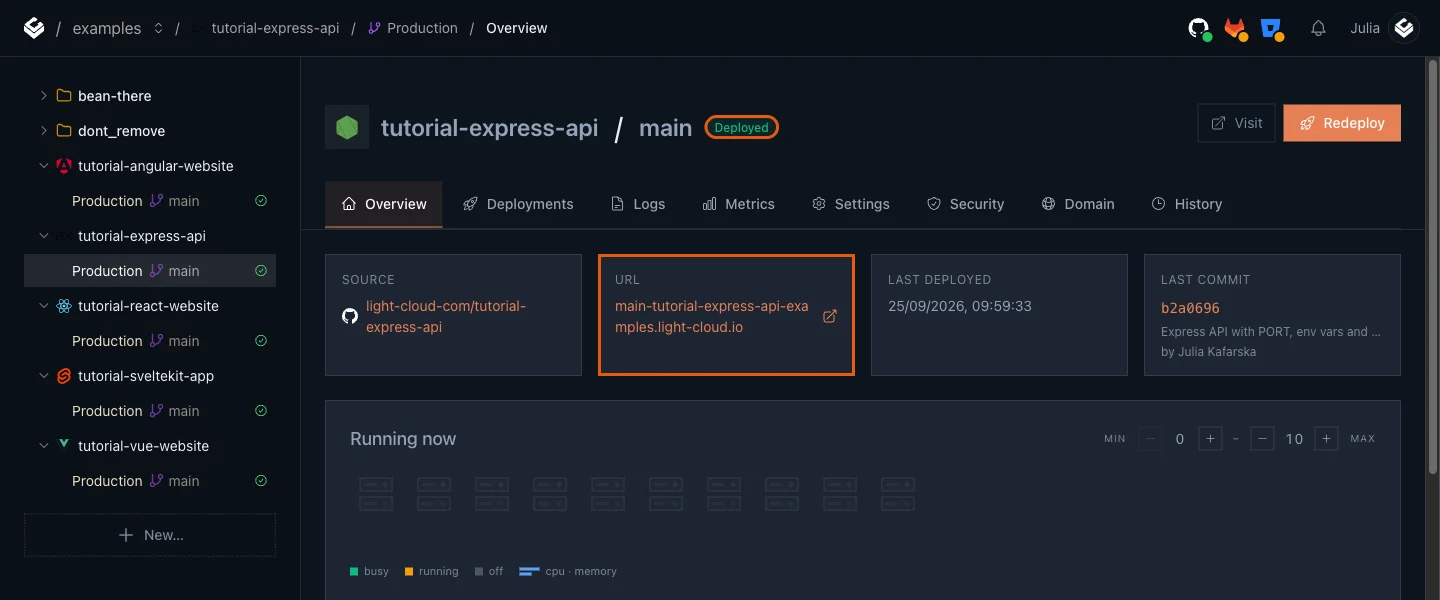
- Click Deploy and wait for Deployed (72 seconds in my run; a container takes longer than a static site). The URL card has the API's address:
Step 6: Call the live API
$ curl https://main-tutorial-express-api-yourworkspace.light-cloud.io/
{"message":"Hi from Express","node":"v22.23.3"}
$ curl https://main-tutorial-express-api-yourworkspace.light-cloud.io/hello/Ada
{"message":"Hi, Ada!"}PS> curl.exe https://main-tutorial-express-api-yourworkspace.light-cloud.io/
{"message":"Hi from Express","node":"v22.23.3"}
PS> curl.exe https://main-tutorial-express-api-yourworkspace.light-cloud.io/hello/Ada
{"message":"Hi, Ada!"}The greeting is now Hi: the value from the console, not the Hello fallback in the code.
The first request after a quiet period can take a few seconds (3.6 seconds in my run). With Min instances at 0 the API sleeps when nobody uses it, which keeps it free, and wakes on the next request. Cold starts, measured explains the trade-off.
Step 7: Change a setting without touching the code
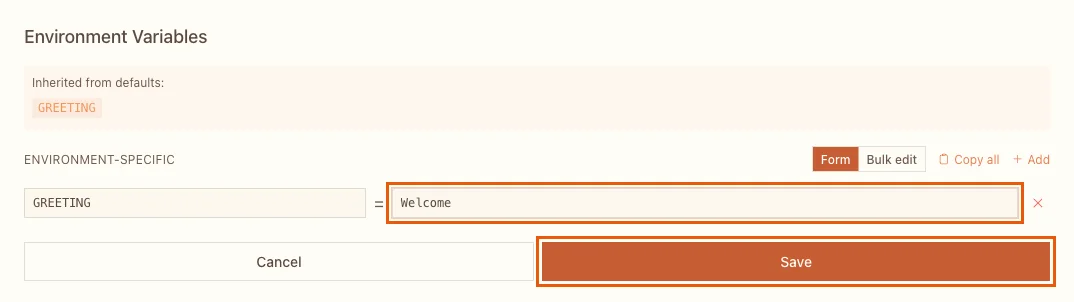
- Open the Settings tab of Production.
- Next to Environment Variables, click Edit.
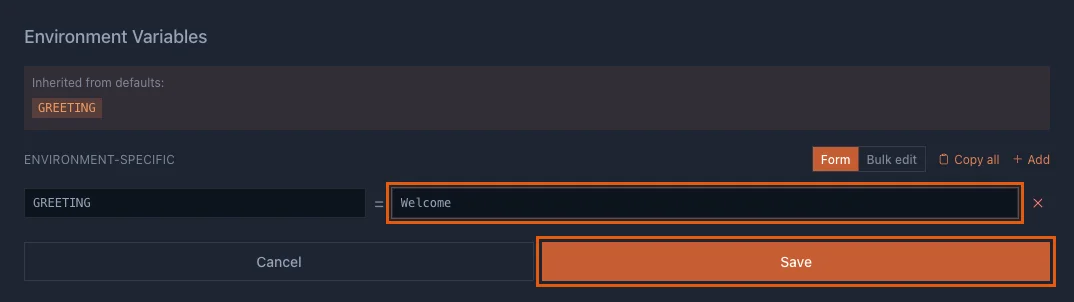
- Change the value of
GREETINGtoWelcomeand click Save.
Saving redeploys the same commit with the new value. About a minute later (59 seconds in my run):
$ curl https://main-tutorial-express-api-yourworkspace.light-cloud.io/
{"message":"Welcome from Express","node":"v22.23.3"}PS> curl.exe https://main-tutorial-express-api-yourworkspace.light-cloud.io/
{"message":"Welcome from Express","node":"v22.23.3"}Step 8: Read the logs
Open the Logs tab. Every line your API printed is here, next to lines Light Cloud adds itself, such as GET https://.../nope 404 for each request:
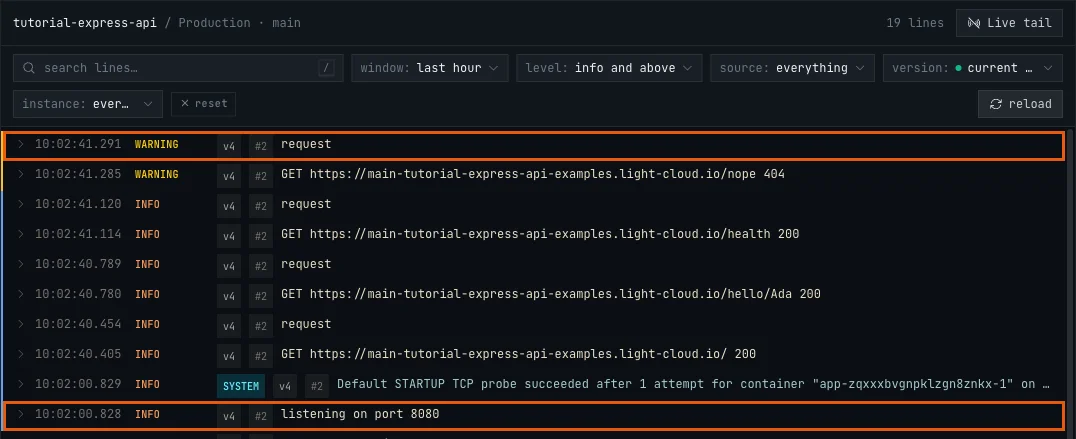
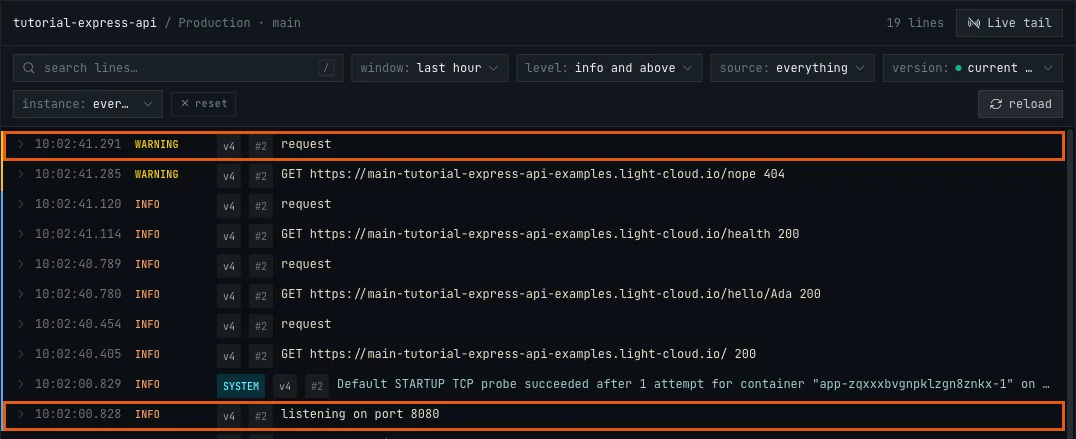
Because the lines are JSON with a severity, each one has the right level: the request to /nope is a WARNING, the others are INFO. Click a line to open it. Everything else the API logged is under JSON Payload:
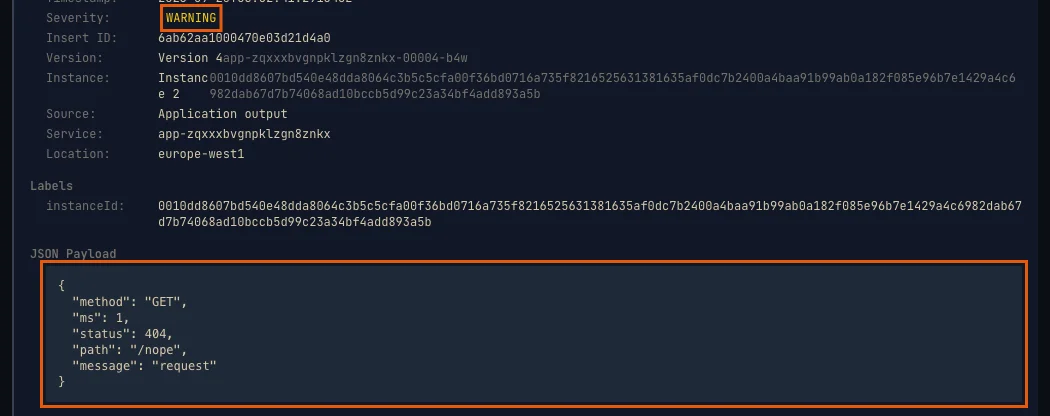
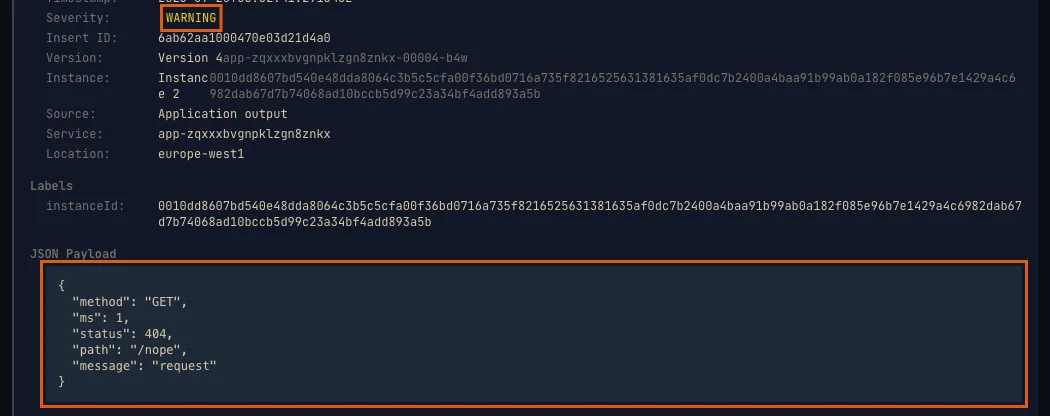
Two more lines are worth finding after Step 7: listening on port 8080 from the new instance, and SIGTERM received, shutting down from the old one. That is the graceful shutdown from Step 2 at work.
To see only problems, set the level filter to warnings and above.
Troubleshooting
The deploy fails: container failed to start and listen on the port
The user-provided container failed to start and listen on the port defined provided by the PORT=8080 environment variable within the allocated timeout.
The app listens on a fixed port instead of PORT. I tried it with app.listen(3000): the deploy failed after about four minutes, and the previous version kept serving the whole time. Read the port with Number(process.env.PORT) || 8080, commit and push. If your app must use another port, set Port under Advanced to match instead.
The deploy fails in the build step with npm ci
npm ci needs a package-lock.json that matches package.json. Run npm install on your machine, commit package-lock.json and push again.
More tutorials


Microservices Part 1: Deploy a Frontend, Two APIs and a Database
Deploy a React frontend, a Node.js API, a Python FastAPI API and PostgreSQL from one GitHub monorepo on Light Cloud, step by step, with every screen shown.
 Julia
Julia

Deploy a SvelteKit Site as Static Files: adapter-static and Prerendering
Deploy a SvelteKit site with adapter-static to Light Cloud: fix the Encountered dynamic routes error with export const prerender = true, and get real HTML pages served from the edge, deep links included.
Julia

How to Deploy an Angular App on Light Cloud, Deep Links Included
Deploy an Angular 22 app made with the Angular CLI to Light Cloud: the dist/<project>/browser output folder is detected automatically, Angular Router deep links work, and every git push redeploys.
Julia