Environment Variables and Secrets: Build Time vs Run Time
Why a VITE_ variable is public the moment you deploy, why changing it needs a rebuild, and where a real secret belongs instead.



On this pageShowHide
On Light Cloud, environment variables reach a static site at build time and a container at run time. A Vite site reads VITE_* variables while it is built and writes their values into its JavaScript, so they are public and a new value needs a rebuild. A server app, such as Express, FastAPI or Django, reads its variables when it starts, so they stay on the server. That is why secrets belong in a server app's variables, never in a VITE_ name.
This guide shows all of it on a live site, including a check that a secret did not leak.
What you will build
A small Vite site that prints the settings baked into its build:
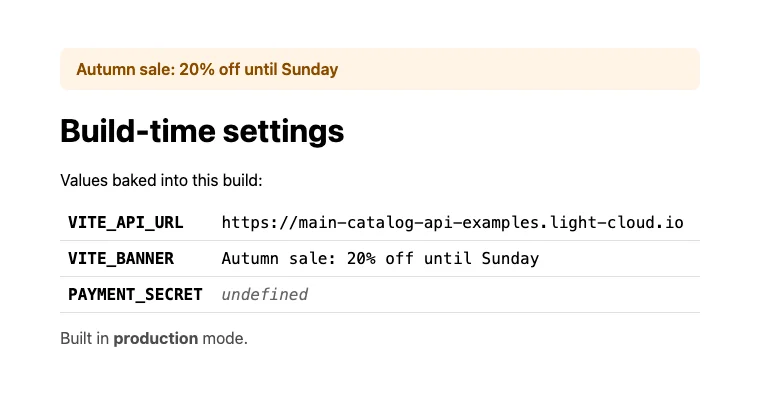
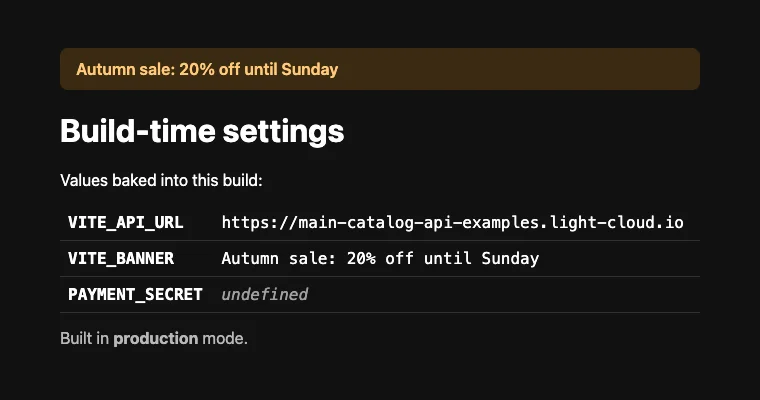
Live demo: main-tutorial-env-vars-examples.light-cloud.io. Source code: github.com/light-cloud-com/tutorial-env-vars.
Build time or run time?
| Static site (React, Vue, Svelte, plain Vite) | Server app (Express, FastAPI, Django) | |
|---|---|---|
| When variables are read | once, during the build | every time the app starts |
| Who can see the values | every visitor, in the JavaScript | only the server |
| Changing a value | rebuilds the site | restarts the app |
| Good for | API addresses, feature flags, public keys | passwords, API keys, database URLs |
Before you start
- Node.js 20.19 or later, or 22.12 or later (what Vite 8 requires).
- Git and a GitHub account, and a free Light Cloud account at console.light-cloud.com.
- A terminal with curl. On Windows, use PowerShell 7 and
curl.exe, which ships with Windows 10 and 11.
Step 1: Create a Vite site that shows its settings
$ npm create vite@latest tutorial-env-vars -- --template vanilla --no-interactive
$ cd tutorial-env-vars
$ npm install
found 0 vulnerabilitiesPS> npm create vite@latest tutorial-env-vars -- --template vanilla --no-interactive
PS> cd tutorial-env-vars
PS> npm install
found 0 vulnerabilitiesReplace the starter's src/main.js:
import './style.css'

// Vite replaces import.meta.env.VITE_* with the values it finds when the
// site is BUILT. Only names starting with VITE_ are included; anything
// else stays undefined in the browser.
const settings = {
  VITE_API_URL: import.meta.env.VITE_API_URL,
  VITE_BANNER: import.meta.env.VITE_BANNER,
  PAYMENT_SECRET: import.meta.env.PAYMENT_SECRET,
}

const rows = Object.entries(settings)
  .map(([name, value]) => `<tr><th>${name}</th><td>${value ?? '<em>undefined</em>'}</td></tr>`)
  .join('')

document.querySelector('#app').innerHTML = `
  ${settings.VITE_BANNER ? `<p class="banner">${settings.VITE_BANNER}</p>` : ''}
  <h1>Build-time settings</h1>
  <p>Values baked into this build:</p>
  <table>${rows}</table>
  <p class="note">Built in <strong>${import.meta.env.MODE}</strong> mode.</p>
`
The styles are in the repository; any CSS works. Delete src/counter.js and the files in src/assets, which the new page does not use.
Step 2: Set the values for your laptop
For local development, Vite reads a .env.local file:
VITE_API_URL=http://localhost:8080
VITE_BANNER=Running on my laptop
PAYMENT_SECRET=sk_test_local_only
The starter's .gitignore already contains *.local, so this file never reaches Git. Commit a .env.example without real values instead, so others know which variables exist.
Build once and look at what ended up in the JavaScript:
$ npm run build
dist/assets/index-CTRkmqE9.css  0.70 kB │ gzip: 0.35 kB
dist/assets/index-CZudv4-9.js   1.14 kB │ gzip: 0.68 kB
✓ built in 273msPS> npm run build
dist/assets/index-CTRkmqE9.css 0.70 kB │ gzip: 0.35 kB
dist/assets/index-CZudv4-9.js 1.14 kB │ gzip: 0.68 kB
✓ built in 273msOpen the .js file from dist/assets in your editor (your file name will differ) and search for the three values. localhost:8080 and Running on my laptop are there, in the file anyone can download. sk_test_local_only is not: without the prefix, Vite leaves it out.
Step 3: Push and deploy
$ git init -b main
$ git add -A
$ git commit -m "Vite site that shows its build-time settings"
# Create an empty repository named tutorial-env-vars on github.com/new first.
$ git remote add origin https://github.com/YOUR-USERNAME/tutorial-env-vars.git
$ git push -u origin main
To https://github.com/YOUR-USERNAME/tutorial-env-vars.git
 * [new branch]      main -> main
branch 'main' set up to track 'origin/main'.PS> git init -b main
PS> git add -A
PS> git commit -m "Vite site that shows its build-time settings"
# Create an empty repository named tutorial-env-vars on github.com/new first.
PS> git remote add origin https://github.com/YOUR-USERNAME/tutorial-env-vars.git
PS> git push -u origin main
To https://github.com/YOUR-USERNAME/tutorial-env-vars.git
* [new branch] main -> main
branch 'main' set up to track 'origin/main'.In the Light Cloud console, click New..., Deploy from GitHub, pick tutorial-env-vars and click Deploy. It is served from the edge like any static site. The first build runs with no variables, so the page shows undefined three times.
Step 4: Add the variables in the console
- Open Production, then the Settings tab.
- Next to Environment Variables, click Edit, then Add, and add two variables:
| Name | Value |
|---|---|
VITE_API_URL | https://main-catalog-api-examples.light-cloud.io |
VITE_BANNER | Autumn sale: 20% off until Sunday |
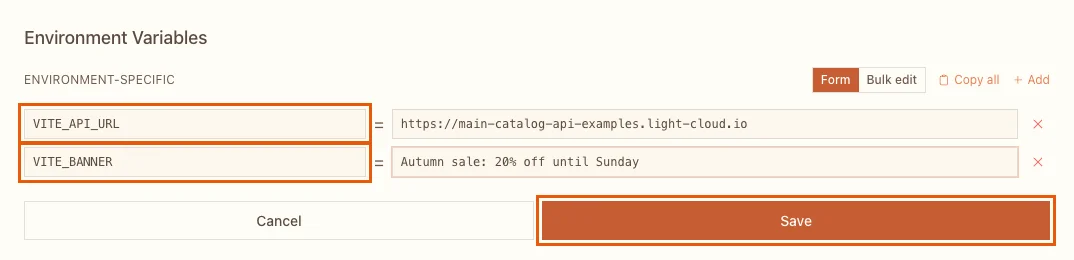
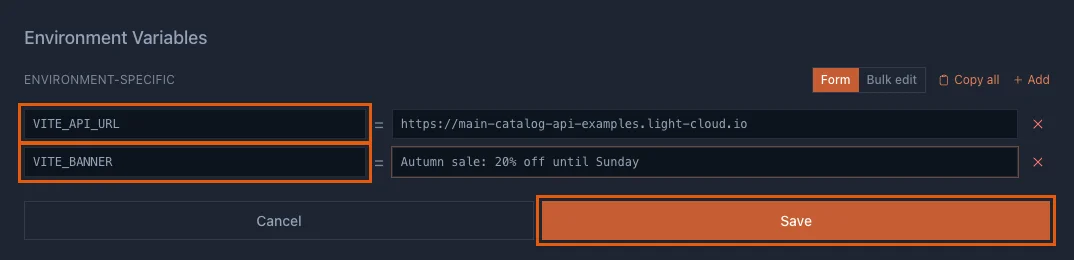
- Click Save. Light Cloud rebuilds the site with the new values; 16 seconds in my run. The page now shows them (the screenshot at the top).
You can also add variables in the deploy form, under Advanced, before the first build.
Step 5: Change a value
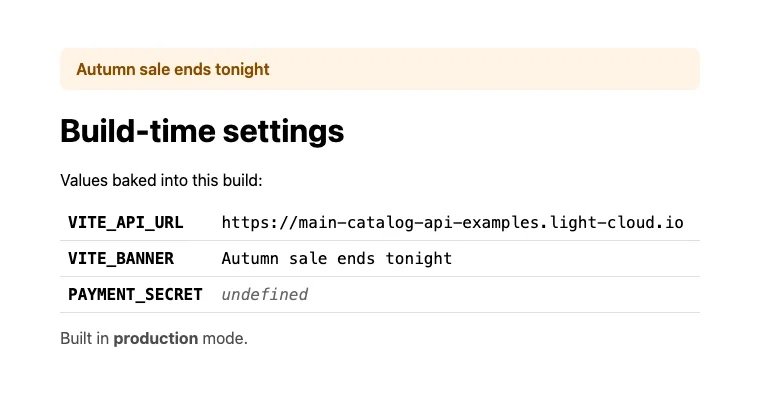
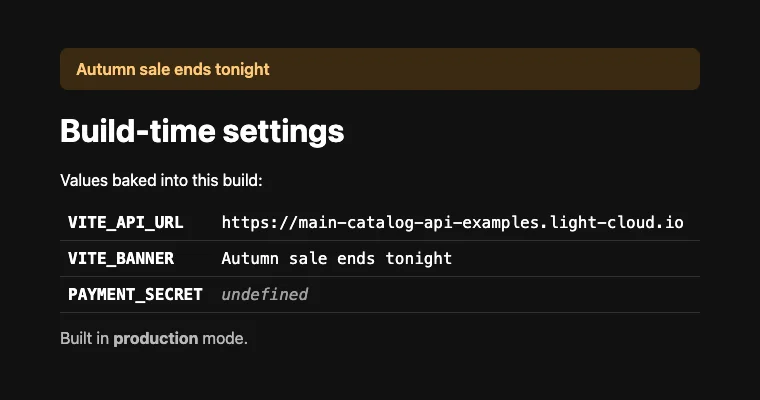
Change VITE_BANNER to Autumn sale ends tonight and click Save. There is no code change and no push, but the site still has to be rebuilt, because the old value is written into the old JavaScript. Saving starts that rebuild; in my run the new banner was live about 34 seconds later:
Step 6: Prove what is public
In the same edit, I also added PAYMENT_SECRET with a fake key, sk_test_example_not_a_real_key, to see what happens to a variable without the VITE_ prefix. Look at what the live site sends to every visitor:
- Open the site in your browser, right-click the page and choose View Page Source.
- Near the top is a line with
src="/assets/index-BHMD3_X_.js"(your file name will differ). Click the file name to open it. - Search the file (Cmd+F or Ctrl+F) for
VITE_, then forPAYMENT_SECRET.
In my file the search found:
VITE_API_URL:`https://main-catalog-api-examples.light-cloud.io`
VITE_BANNER:`Autumn sale ends tonight`
PAYMENT_SECRET:void 0
The two VITE_ values are there in plain text for anyone. PAYMENT_SECRET was compiled to void 0, JavaScript for undefined, and a search for sk_test finds nothing.
So the prefix is a safety catch, not a vault: anything you name VITE_ is published, and anything else is simply not available in the browser.
Where secrets belong
A browser can never keep a secret, so code that needs one must run on a server:
- Put the key in an environment variable of a server app, for example an Express API or a FastAPI app. It reads
process.envoros.environwhen it starts, and the value never leaves the server. - Let the static site call that API. The API's address is fine as a
VITE_variable; the key is not.
Troubleshooting
My variable is undefined in the browser
Its name does not start with VITE_, or the site was built before you added it. Check the name, then Save again (or push a commit) to rebuild.
I put a secret in a VITE_ variable by mistake
It is public from the first deploy that included it. Removing the variable is not enough: revoke the key with whoever issued it, create a new one, and keep the new one on a server.
More tutorials


How to Deploy a Vue 3 App with Vue Router and TypeScript on Light Cloud
Deploy a Vue 3 app made with create-vue, including Vue Router history mode and TypeScript, to Light Cloud: detected automatically and live in about 30 seconds.
 Julia
Julia

Deploy a React App in Minutes: Your First Light Cloud Website, for Free
Create a React app with Vite, push it to GitHub and deploy it on Light Cloud's free plan: detected automatically, built in 15 seconds, updated on every git push.
Julia

Microservices Part 1: Deploy a Frontend, Two APIs and a Database
Deploy a React frontend, a Node.js API, a Python FastAPI API and PostgreSQL from one GitHub monorepo on Light Cloud, step by step, with every screen shown.
Julia